



Dastra offers a new version of the application introducing several new features.
⚖️ Guided assessment of responsibility for an AI system
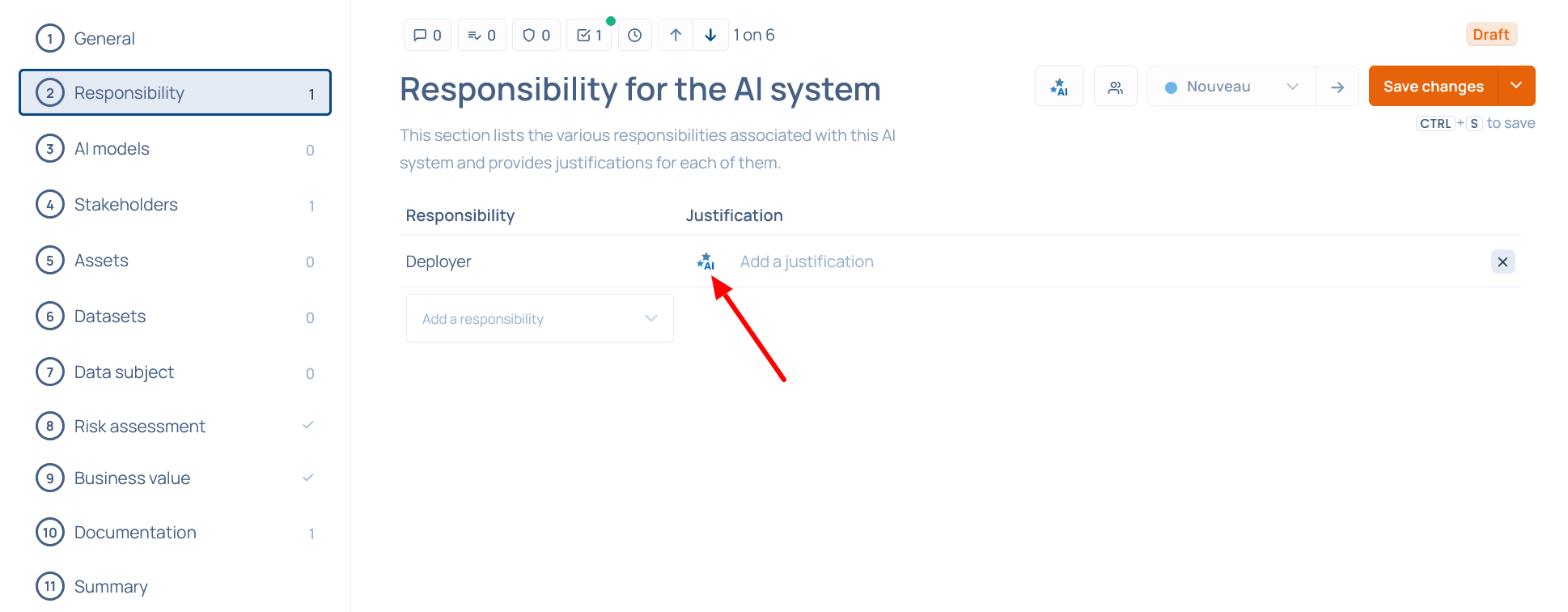
When configuring an AI system, if no responsibility has been defined, a 10-question questionnaire is now offered to help determine the responsibilities associated with that system.
 Once responsibilities are identified, our AI feature can automatically generate a justification.
 ⚠️ Alerts on the risk level of AI systems
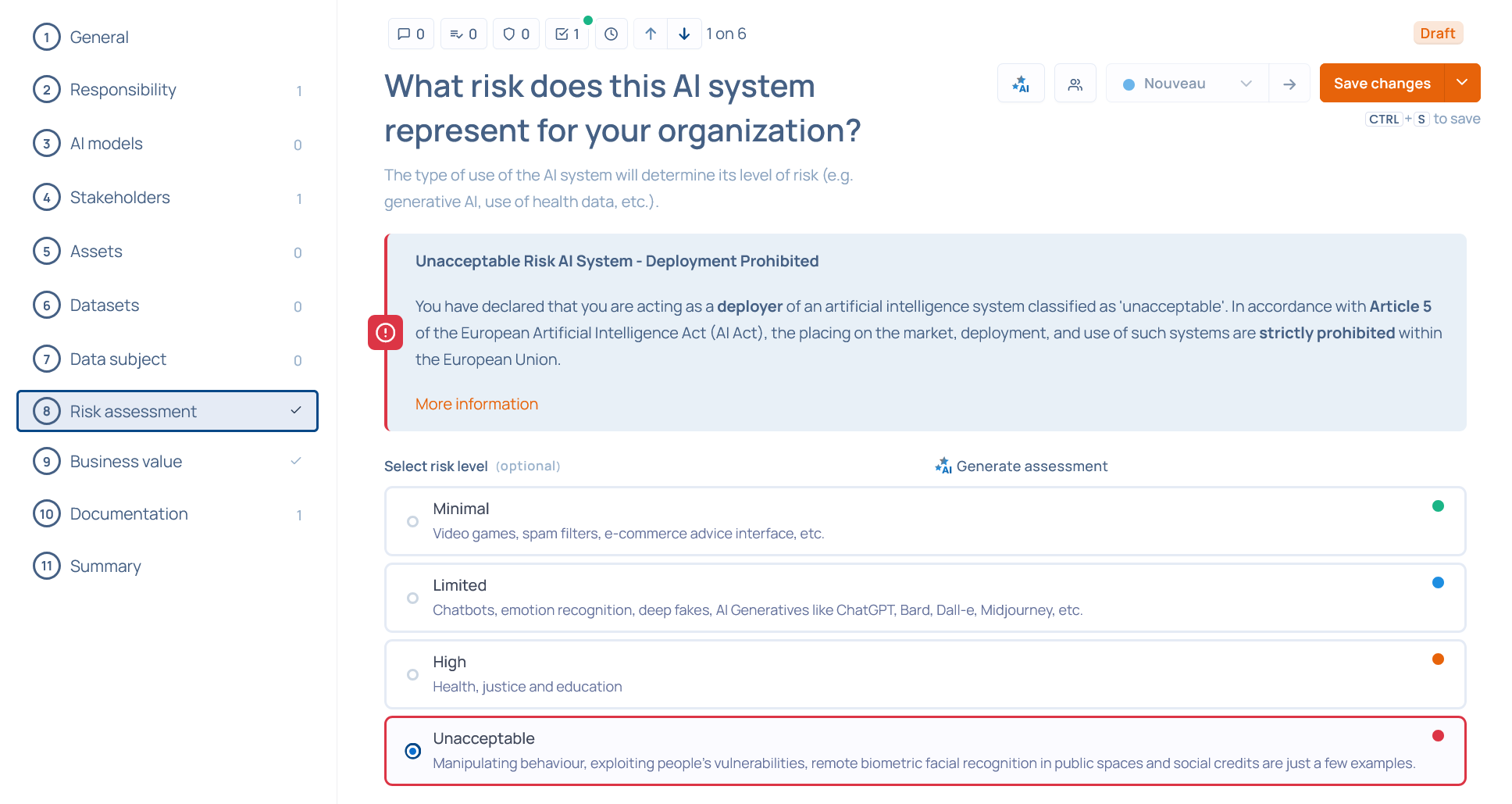
To support your compliance with the AI Act, contextual alerts are now shown when declaring the deployer role.
Unacceptable risk
If you declare yourself to be the deployer of an AI system that presents an unacceptable level of risk, an alert reminds you that deploying such a system is prohibited by the AI Act.
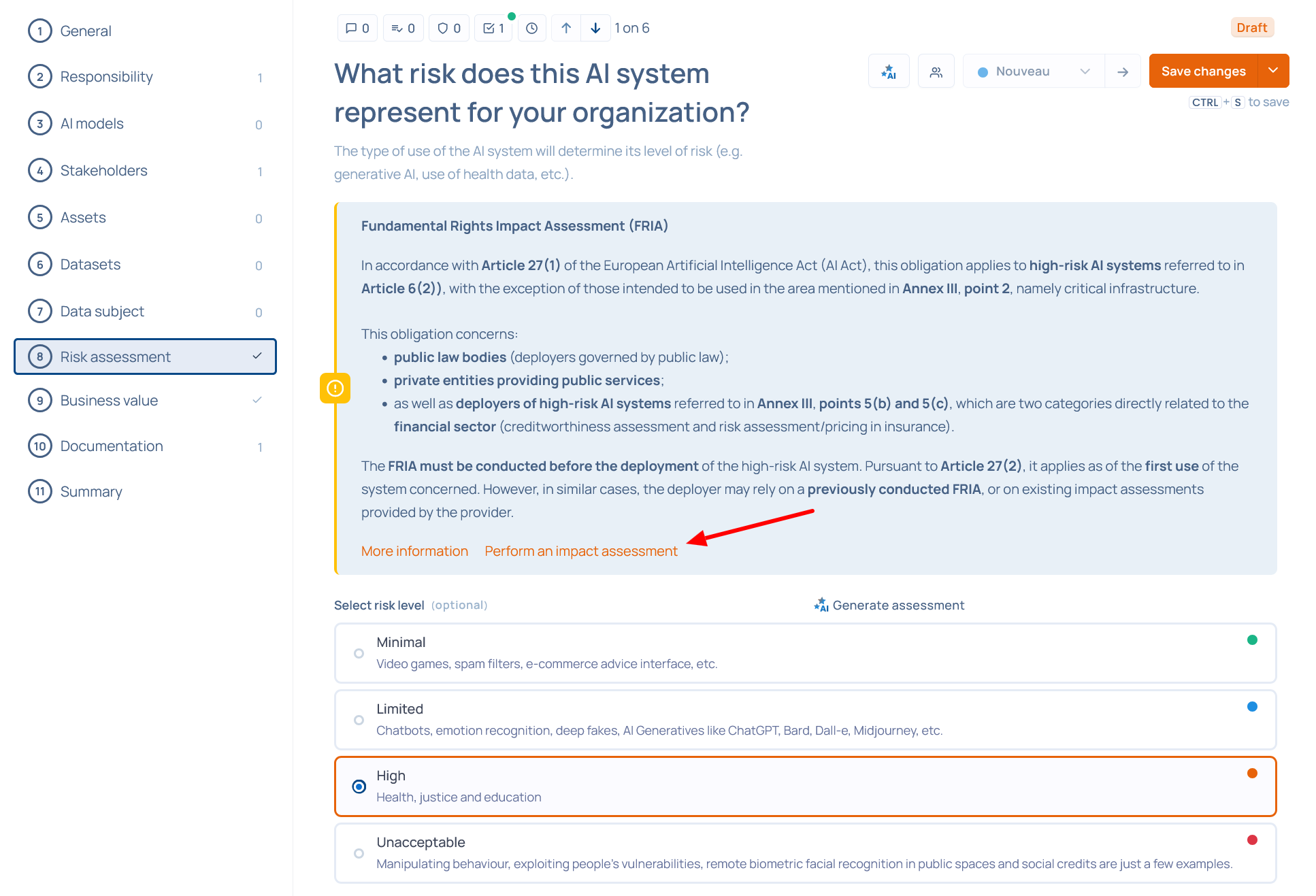
 High-risk AI system
If you indicate you are the deployer of a high-risk AI system, an alert reminds you of the situations in which an impact assessment is mandatory and redirects you to a FRIA (Fundamental Rights Impact Assessment) questionnaire.
 👉 More information on an AI system’s risk level.
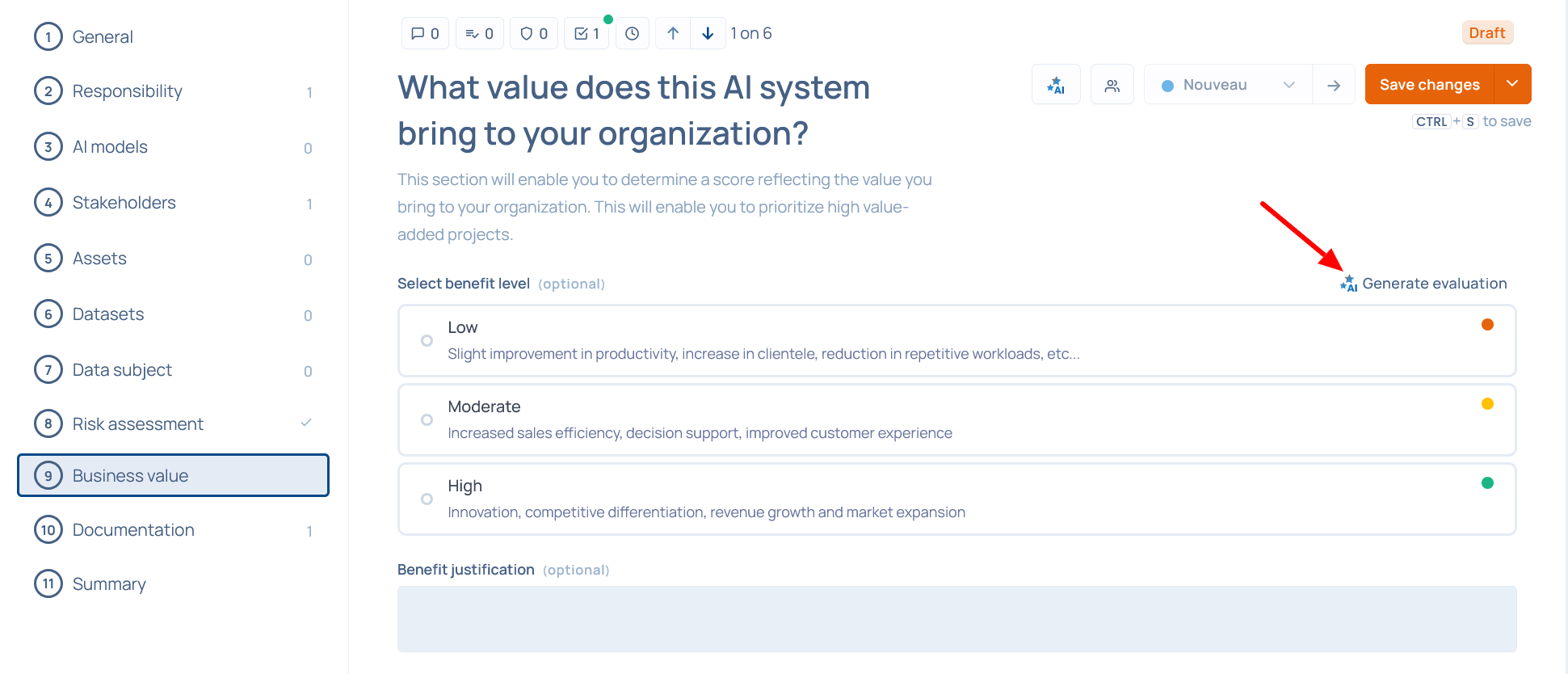
✨ Assisted generation of an AI system’s added value
Our AI feature can now automatically generate an assessment and justification of your AI system’s added value.
 📊 Improved tracking of your credits
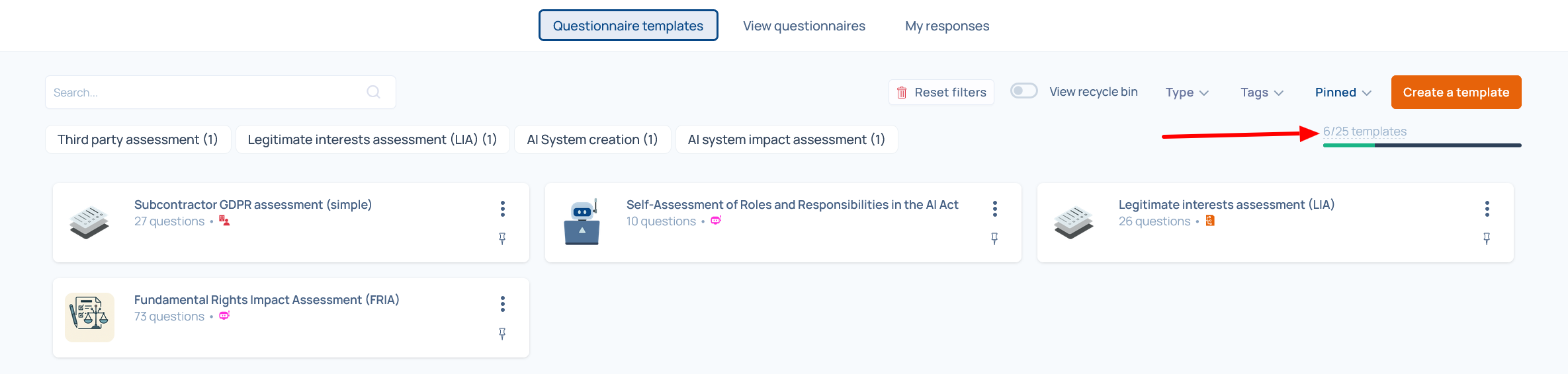
Questionnaire credits
The questionnaire module now displays the breakdown of credits used and remaining.
The quota applies only to questionnaire templates created or used. It does not limit the number of invitations or responses to questionnaires.
⚠️ Important reminder:
- Questionnaire credits are shared across the organization, regardless of the workspace.
- Questionnaires in the trash are still counted because they can be restored.
Remember to permanently delete questionnaires from the trash to free up credits.
 User credits tracking
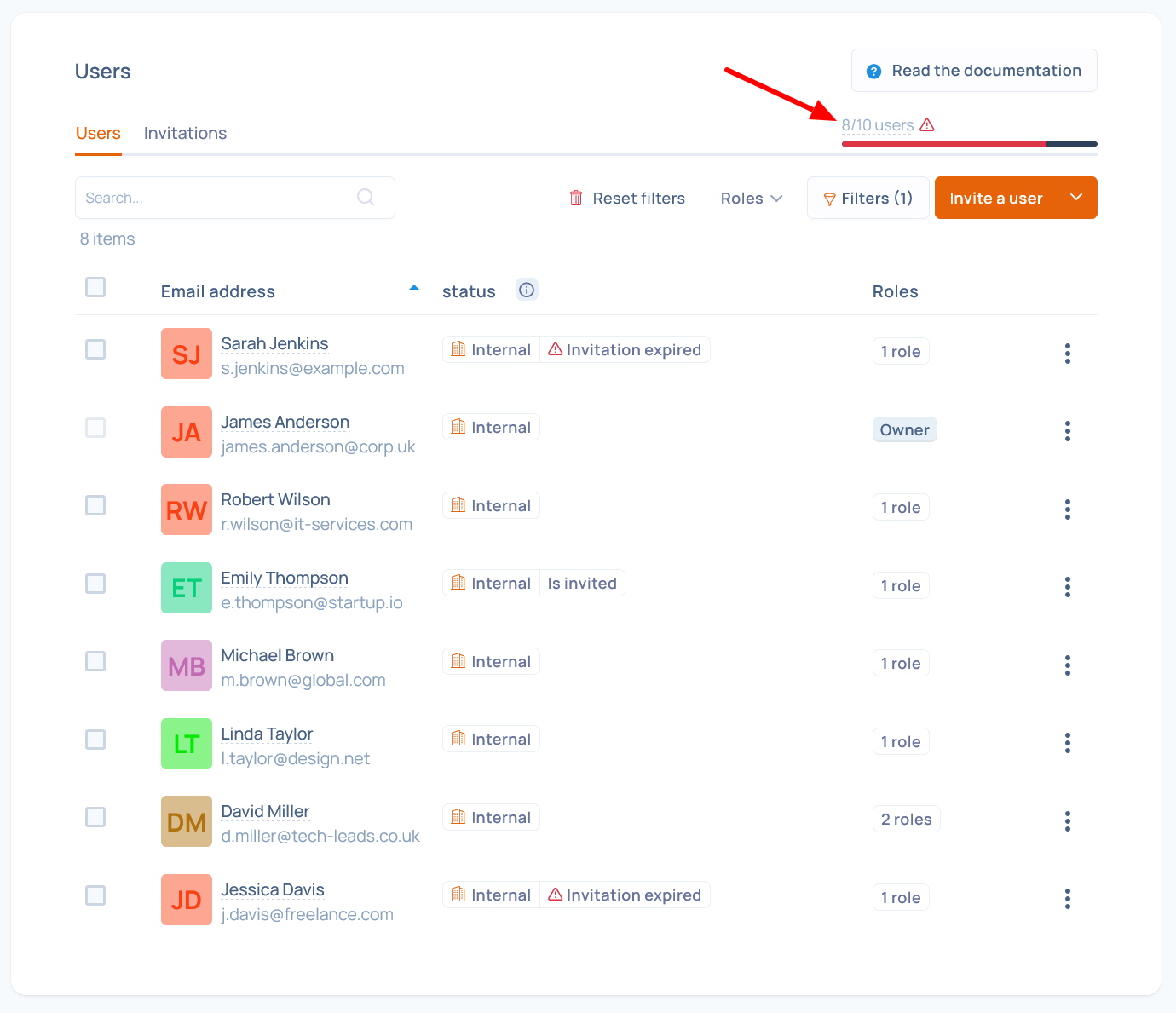
You can also track the use of your user credits, at the organization or workspace level.
⚠️ Important reminder:
- User credits are common to the entire organization.
- Sent invitations (even pending or expired) are counted, because the user is already created in the system and can be associated with business objects.
If some invited users do not ultimately join your organization, remember to revoke the invitations to free up credits.
 🏢 Restricted access to a child entity
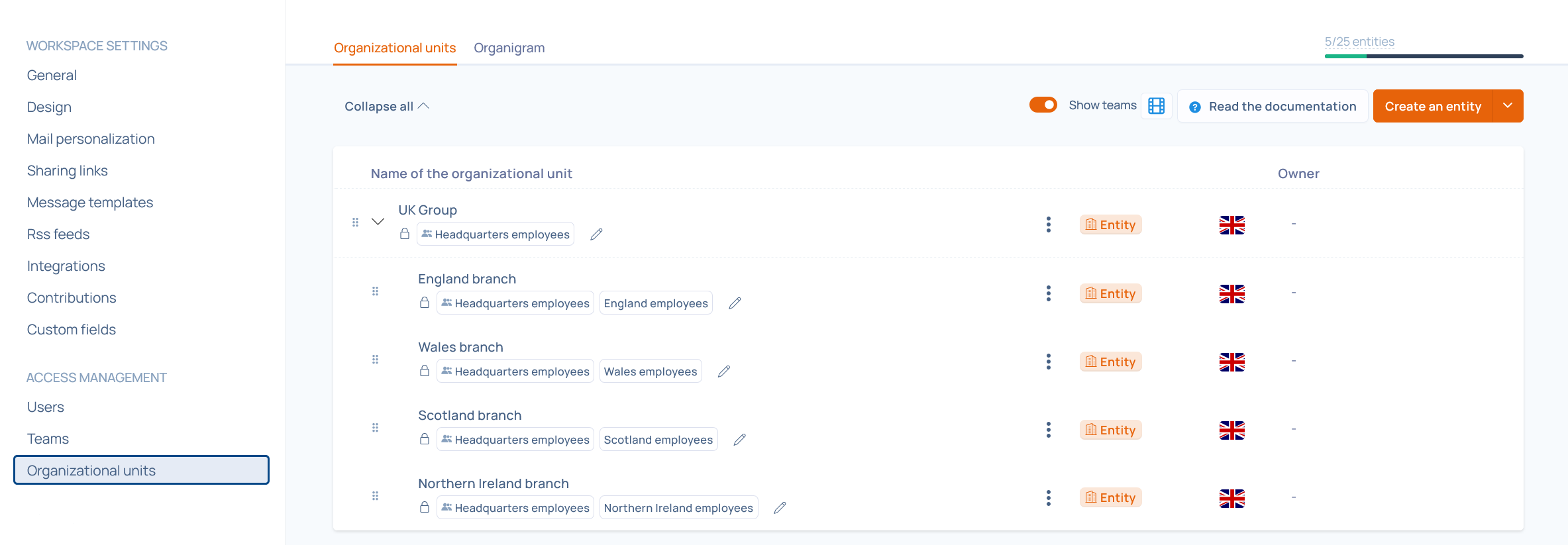
It is now possible to add a user or a team only to a child entity.
The user will then have access exclusively to that entity’s data.
⚠️ If, as an administrator of the parent entity, you assign a user restricted to a child entity to an object attached to another entity to which they do not have access, the user will be unable to view or process that business object.
 🔐 Access control for Trust Center documents
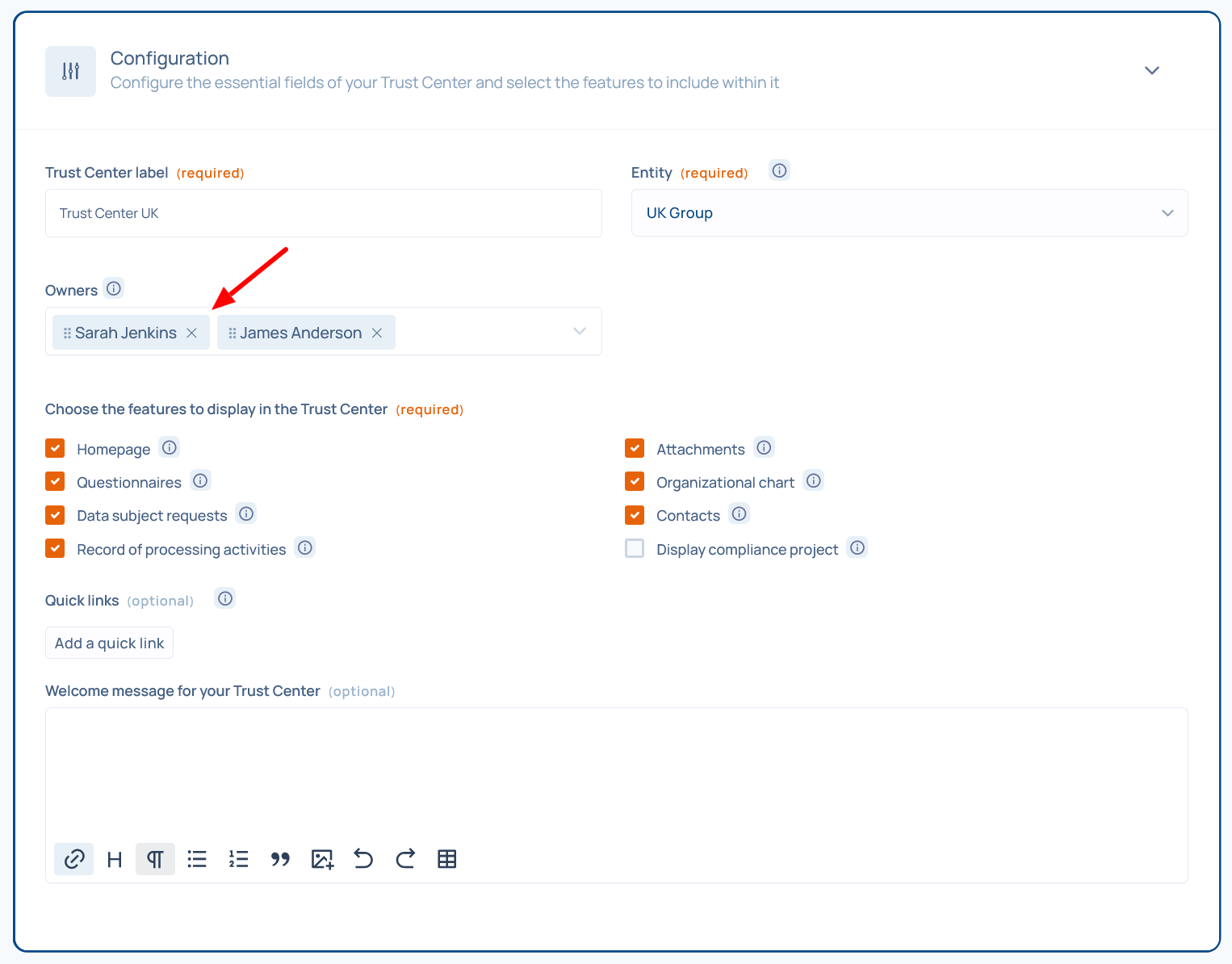
It is now possible to designate one or more Trust Center owners.
 By default, an access confirmation is now required to view Trust Center documents. This setting can be configured in the Trust Center’s Security section.
 Visitors can see the list of documents but must submit an access request by providing their email address and the reason for their request.
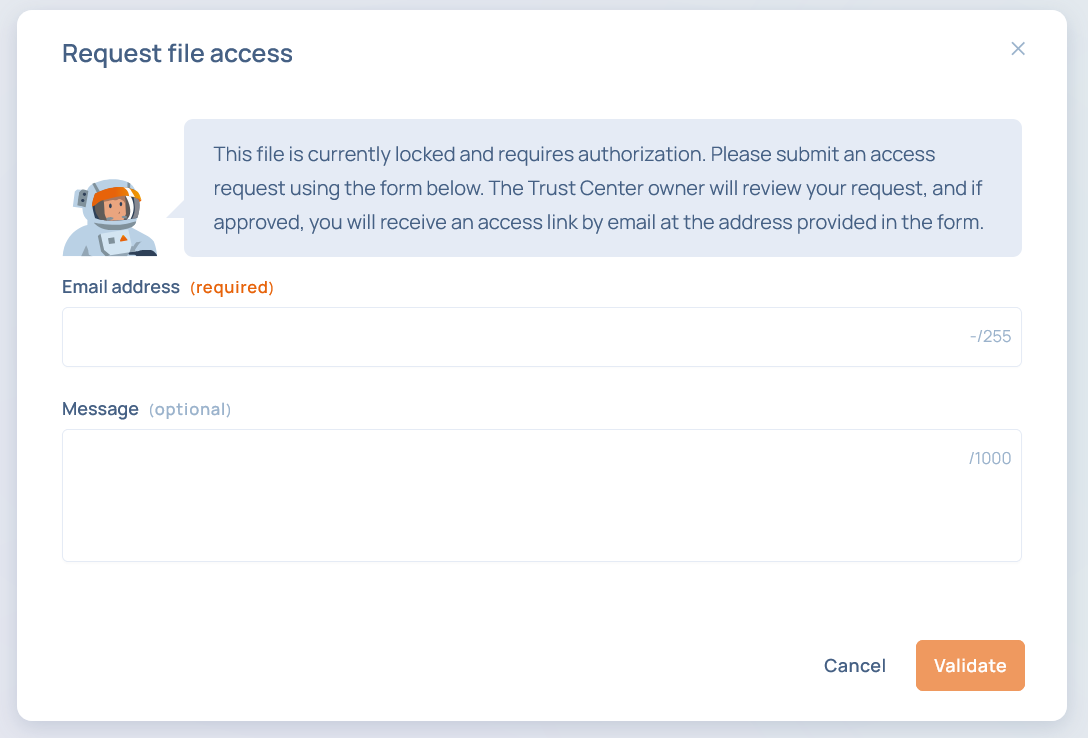 Trust Center owners then receive an email and can manage access requests from a new screen in the Trust Center module.

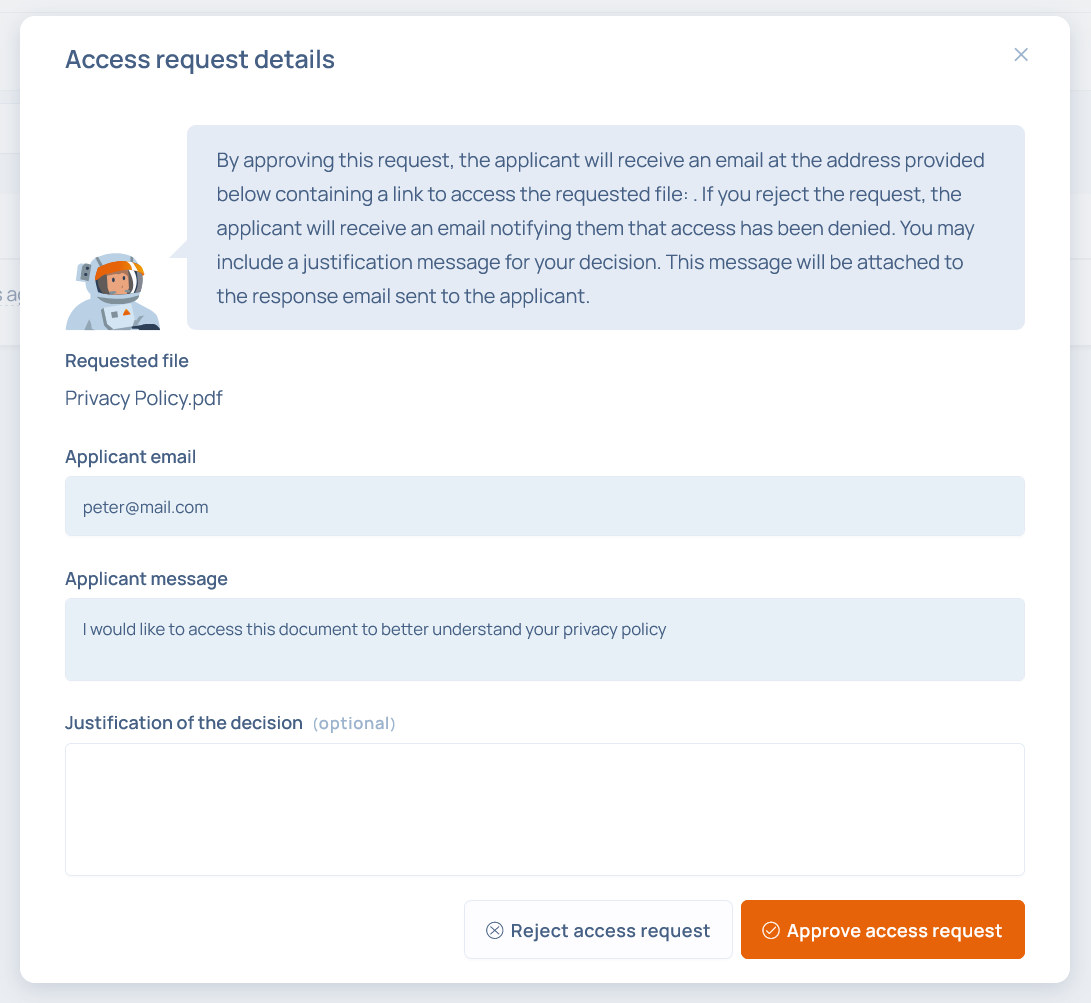 If the request is approved, the requester receives an email containing a download link valid for 30 days.
🌍 Translation of custom fields in request forms
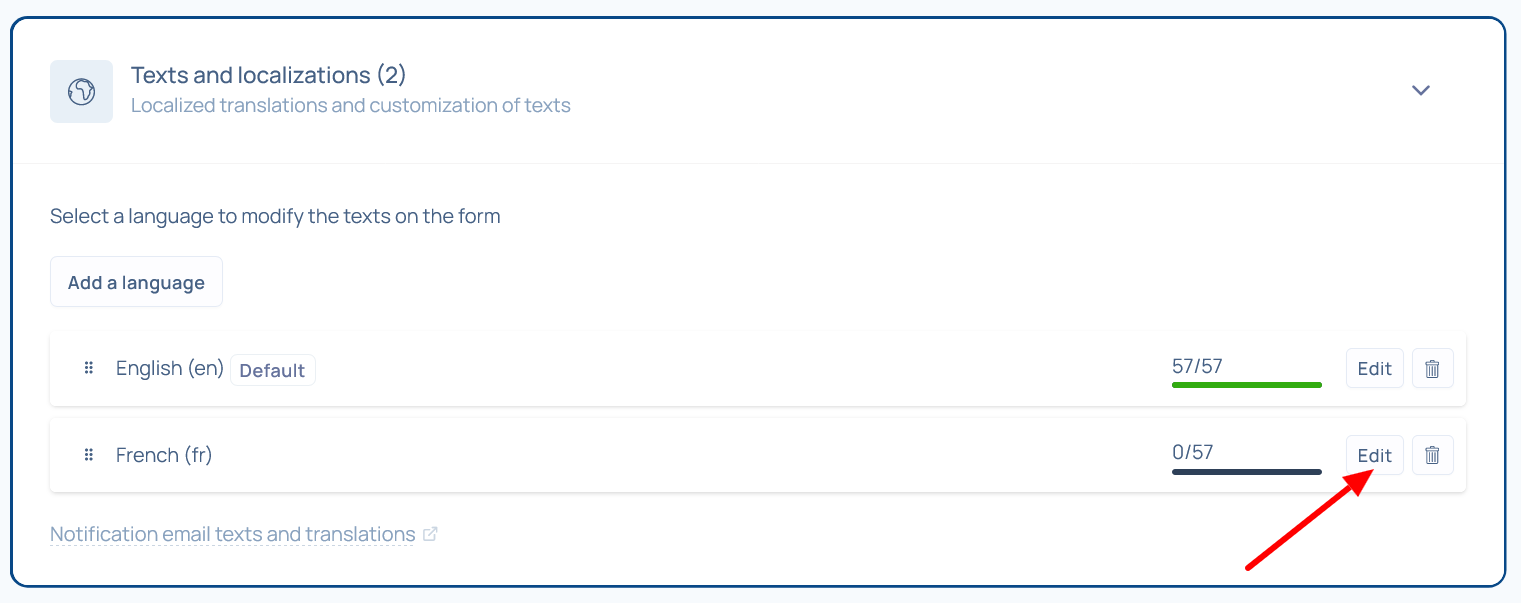
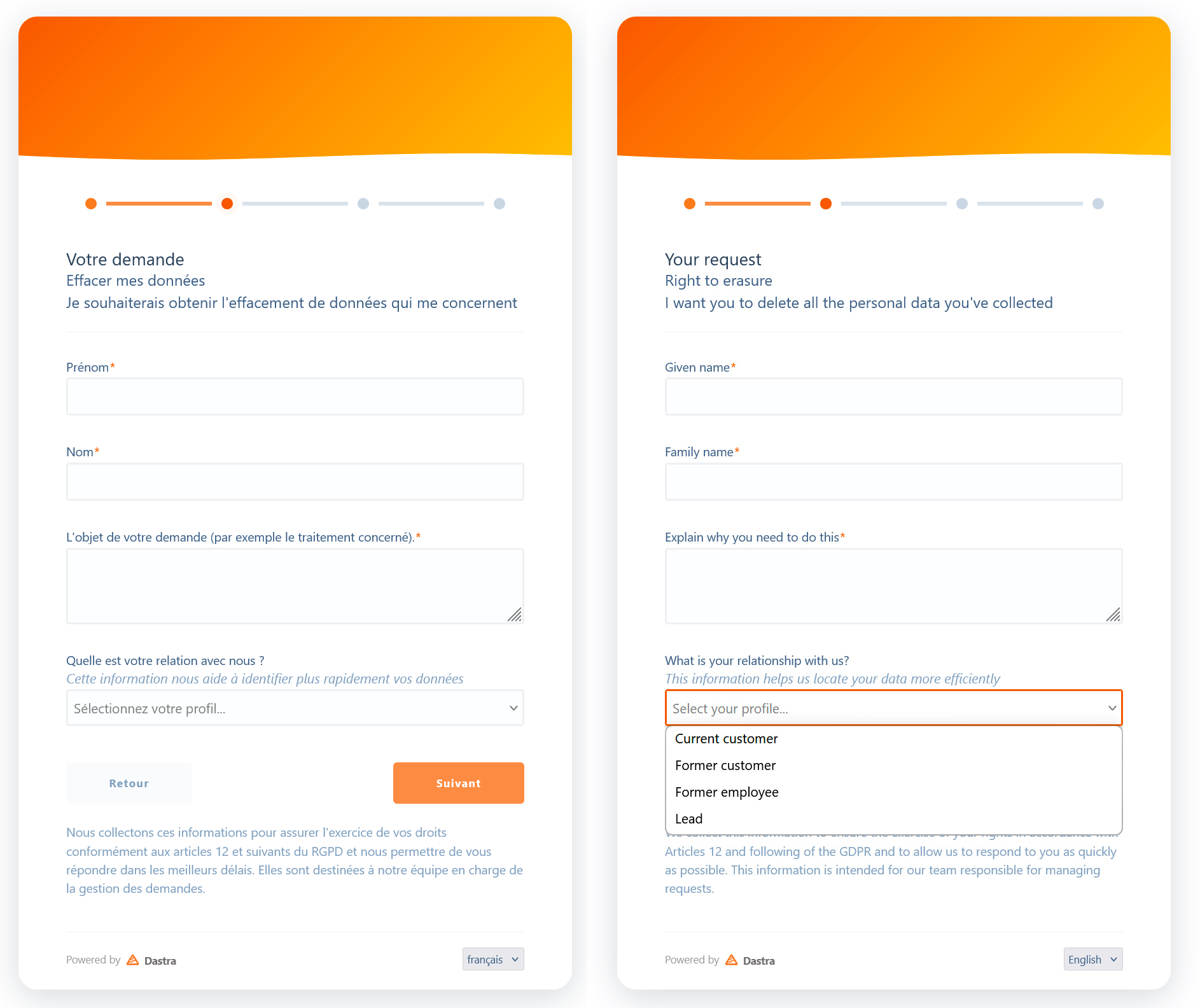
Custom fields (for example a dropdown list) included in a request form can now be translated for each language of the form.
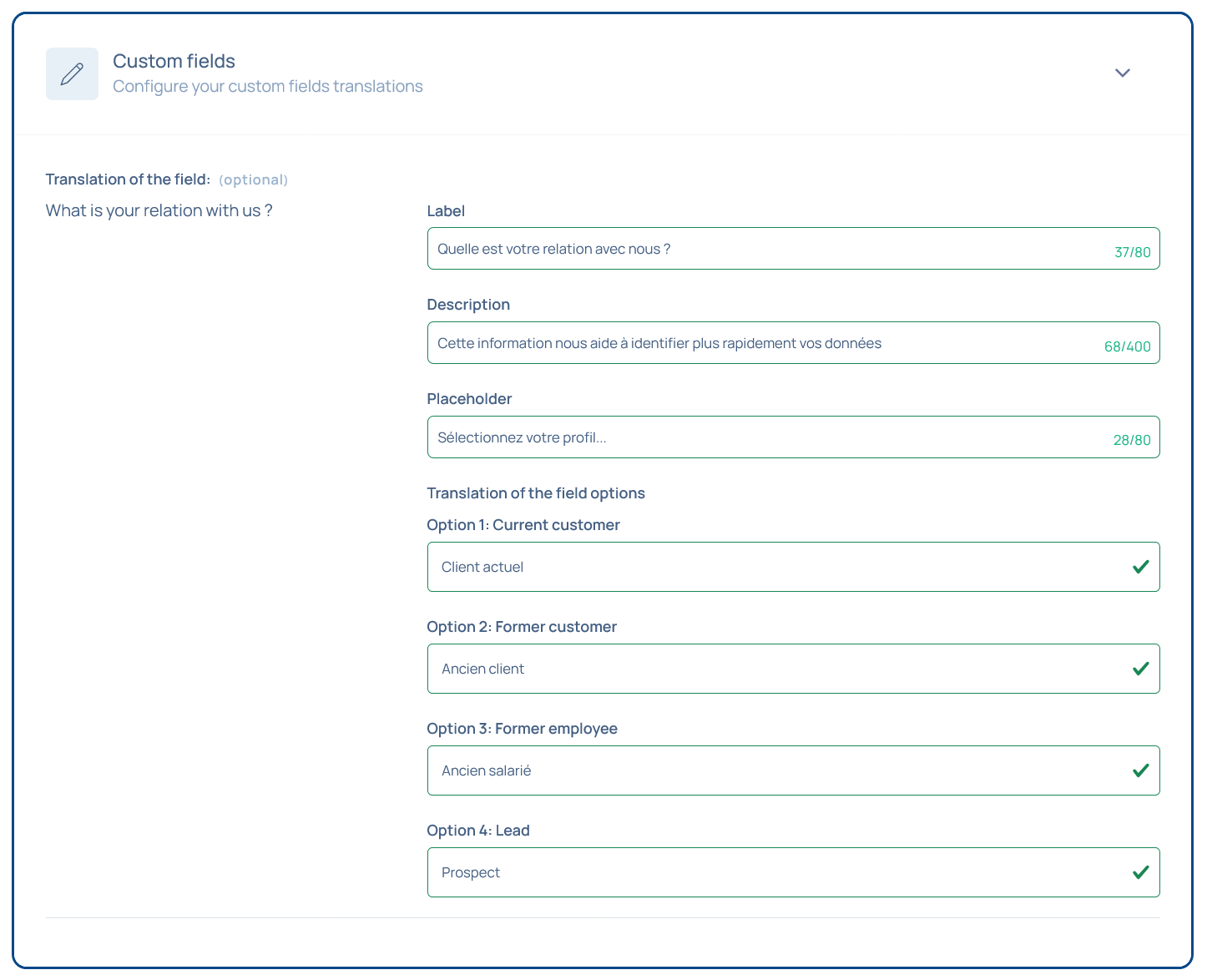 ⚠️ Important reminder:
- Description: help text displayed under the field name
- Placeholder text: text shown in the dropdown when no option is selected
The R&D team thanks you for your trust! 🙏