


🚀 New features
Integrations: Microsoft Teams connector

Workflow rules carry most of your reminders: a review that is coming due, an access request that changes stage, a task that remains unassigned. Until now, these reminders had only two destinations: the Dastra notification center or email notifications. For some users in your organization, however, the reminder gets lost in an inbox, or they do not think to open the notification center to check whether anything has happened.
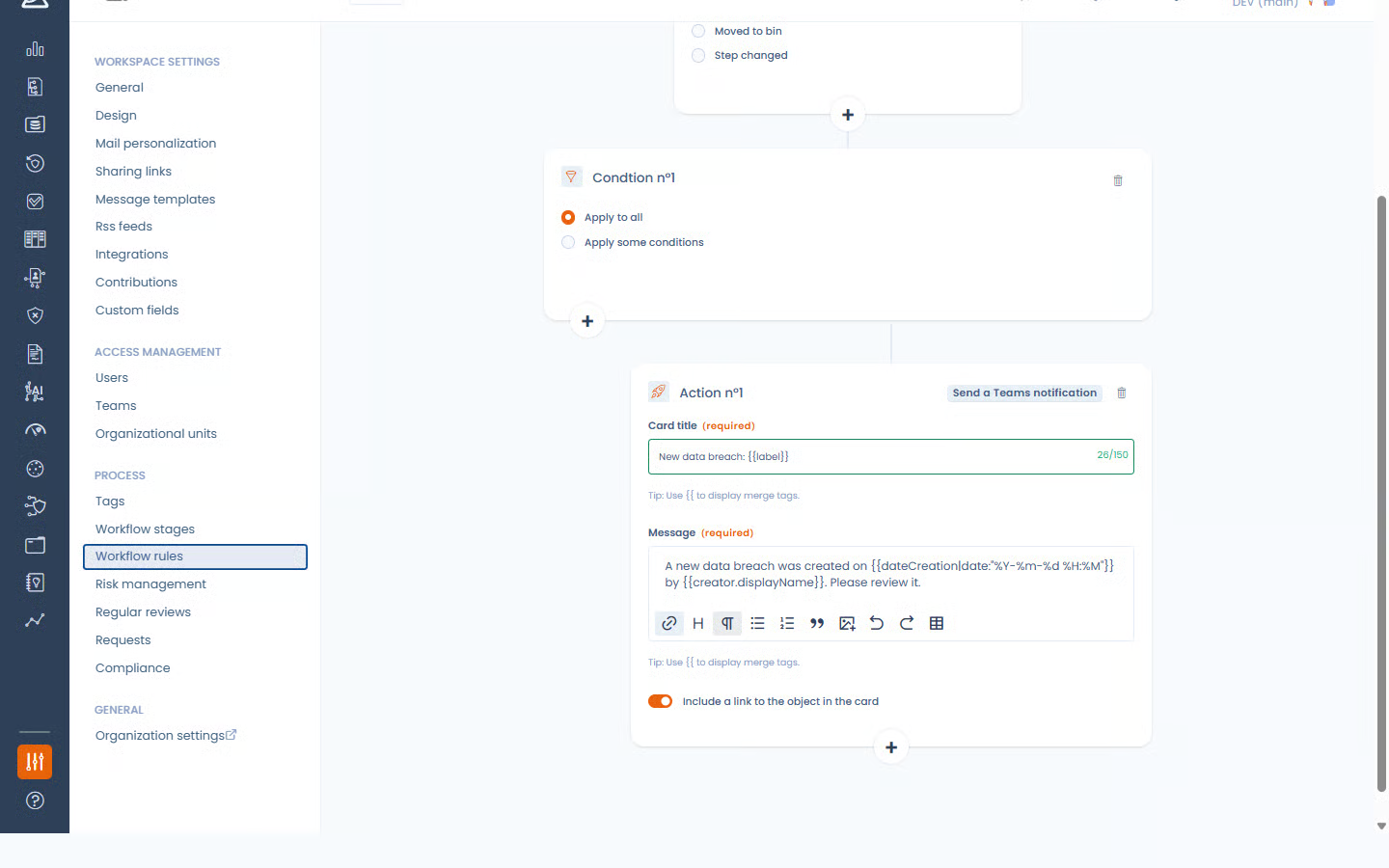
The Microsoft Teams connector opens up a third destination, where your team is already communicating. You link a Teams channel to your workspace, and your workflow rules then gain a new action: post a notification in that channel.
The rule author writes the title and message themselves, inserts data from the triggering object, and chooses whether or not to include a direct link to that object in Dastra. The connection can be tested from the configuration screen, and the connector can be paused or uninstalled at any time.
Integrations: Jira connector

Teams that handle data subject rights requests often work in Jira, where each request takes the form of a ticket. Without automatic linking, the same request has to be re-entered in Dastra and its progress tracked twice, risking divergence between the two tools. The Jira connector now brings the solution into Dastra.
The Jira connector links a Jira project to the data subject rights register. A ticket created in Jira automatically creates a request in Dastra, with the requester’s information and the subject of the request. The status then stays aligned both ways: the Jira ticket status advances the request stage in Dastra, and a stage change in Dastra updates the Jira ticket.
Configuration is fully self-service from the workspace settings:
- Authenticate Dastra with Jira, then choose the relevant project and issue type.
- Describe how ticket fields feed the request.
- Map each Jira status to a Dastra workflow stage.
- Define the default organisational unit for newly created requests.
- Set up the incoming notification from Jira, protected by a secret generated by Dastra.
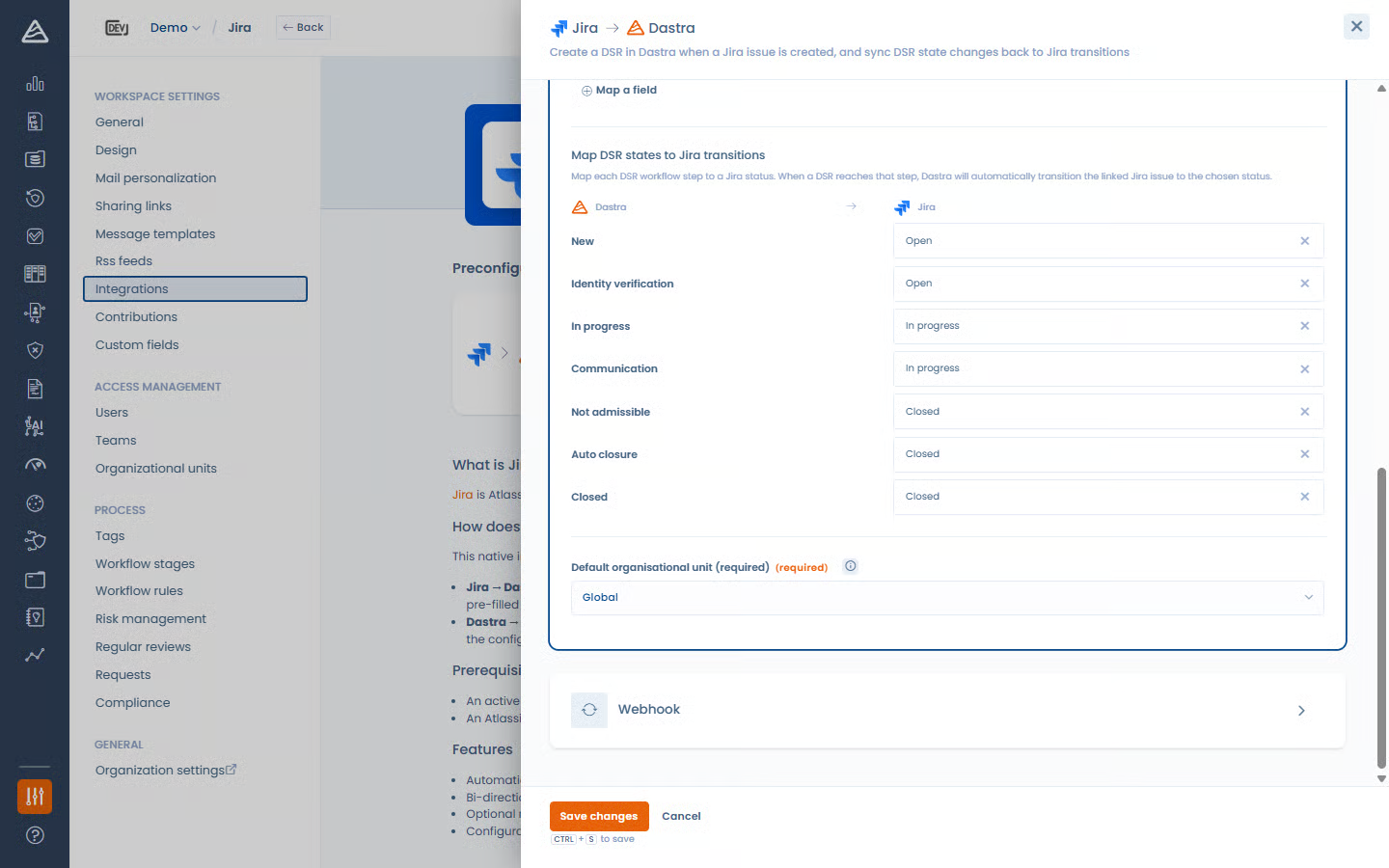
You manage your requests from your team’s tool while keeping the register, history, and automations required by your compliance needs in Dastra.
What is Jira?
Jira is Atlassian’s project and issue tracking platform, widely used by teams to track tasks, bugs, and workflows.
Integrations: SAP LeanIX connector

For some organisations or work teams, the application map lives in SAP LeanIX: each application has its own record there, with its common name, description, lifecycle stage, owners, and the number under which the company identifies it. Dastra’s asset repository, for its part, holds data mapping and compliance information: linked processing activities, security measures, vendor, reviews. Without a link between the two, the mapping has to be re-entered application by application, and the two inventories diverge as soon as the first deployment goes live.
The SAP LeanIX connector links a LeanIX instance to the asset repository. Automatically import your Application fact sheets from SAP LeanIX into Dastra as assets (daily sync, upsert). Since the LeanIX data model is unique to each instance, no fixed mapping would work: you choose, from among the fields actually declared in your model, those that populate each asset field, including the internal number to the asset reference and the owner’s address to a custom field.
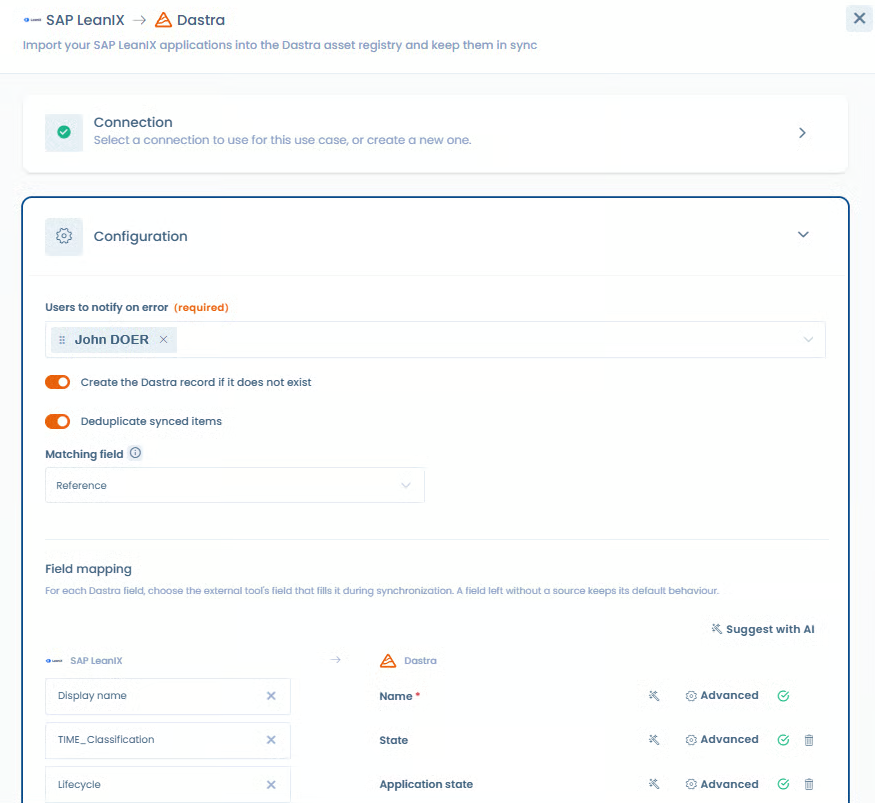
You also decide whether missing assets should be created and how to match a LeanIX record with an asset already present in Dastra. Each imported asset keeps track of the fact sheet it comes from, and the daily refresh never overwrites anything entered in Dastra.
What is SAP LeanIX?
SAP LeanIX is a SaaS enterprise architecture management platform. It maintains an inventory of applications, IT components, and their lifecycle in order to govern and rationalise the information system.
Integrations: ServiceNow connector

Your applications are inventoried in ServiceNow, while compliance is documented in Dastra? Without a link between the two tools, every new application must be entered twice, and the gap between the technical inventory and the compliance repository grows without anyone knowing which one is authoritative.
Matching is all the more difficult because the two tools do not speak the same language: the same concept (an application’s status, type, or criticality) does not have the same name or the same values on each side, and each ServiceNow instance is configured differently.
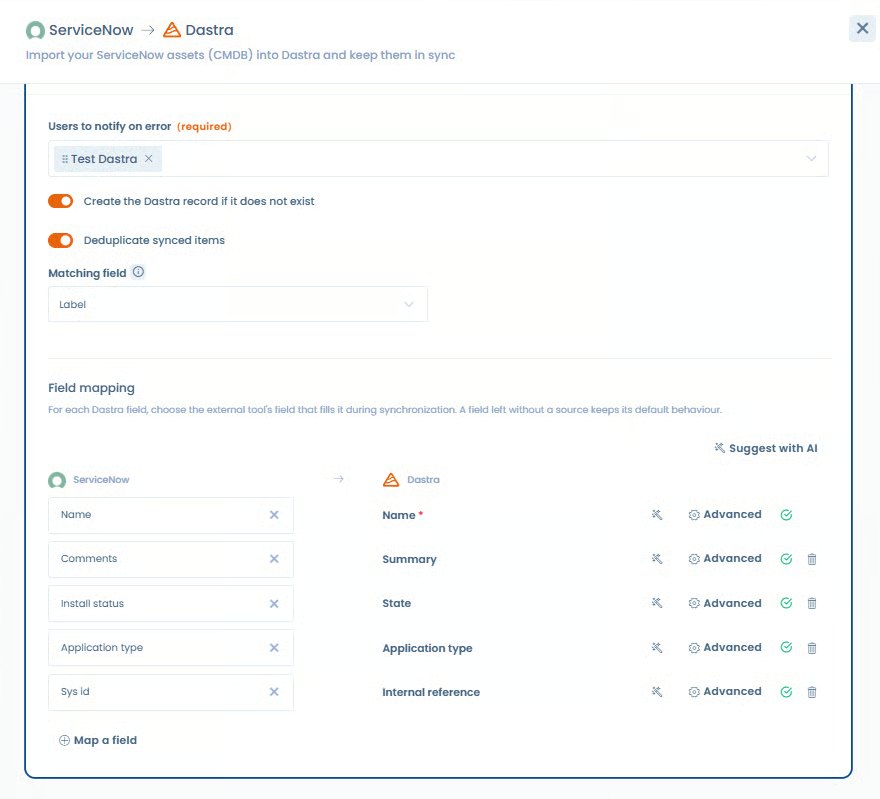
The ServiceNow connector links a ServiceNow instance to the asset repository. You define the mapping between the columns of the business application table and Dastra asset fields, including value translation from one list to another, and you choose whether missing assets should be created and how an incoming record should be matched to an existing asset. The sync then runs daily, without ever deleting the work of your compliance teams.
What is ServiceNow?
ServiceNow is a SaaS digital workflow platform (ITSM, ITOM, ITAM, HR, SecOps, etc.) that centralises and automates IT and business processes within an organisation. It is widely used for incident management, requests, assets, and enterprise-scale data.
Compliance: framework version management
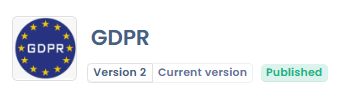
You can now be notified when a newer version of the source framework is available, preview changes to controls, tests, risk scenarios, and threats, and then create an up-to-date new version by confirming.
Framework versioning follows the same principle already proven in the Questionnaires module. If your organisation can manage custom frameworks, you can now create a new version from an existing one, work on it as a draft, publish it, and retain the history.
You can therefore:
- Create a new version of a framework, custom or imported, carrying over its chapters, requirements, and linked controls, with a change note and an automatically assigned number.
- Publish or unpublish a version, delete an abandoned draft, and let multiple published versions of the same framework coexist.
- Designate the main version, which will be suggested and installed by default when a framework is added to a project from the library.
- View the full version history (number, change note, status, date, and author) and open a previous version in read-only mode.
The main benefit is the independence of your compliance projects. A project is tied to a specific version: a project built on version 1 of a framework is not affected by the framework evolving to version 2, and both versions can be used at the same time on two different projects. Migrating a project to another version remains a manual, explicit action, blocked while an audit is in progress so as not to distort ongoing work.
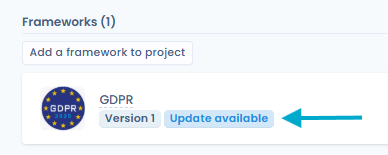
The requirements of a published version are locked, metadata (label, logo, description) remains editable, and creating a version does not consume any additional quota. Your existing frameworks automatically become version 1, with their current status preserved and your projects attached to this version 1: no action is required from you.
In a control record, the linked requirements panel displays the source framework version number: two identical requirements coming from two different versions are no longer seen as duplicates.
Cookies: management of uncategorised cookies
The cookie scan compares each detected cookie against Dastra’s service repository. When no match is found, the cookie remains orphaned. Yet your consent banner addresses visitors by service only: a cookie not linked to any service is never shown to the visitor, and the consent collected does not cover it. Since the repository cannot know every proprietary or implementation-specific cookie, this happens on most scanned websites.
With the uncategorised cookie management tool, a “Uncategorised cookies” tab now appears both in the scan results screen and in the banner editor, preceded by a warning badge showing the count.
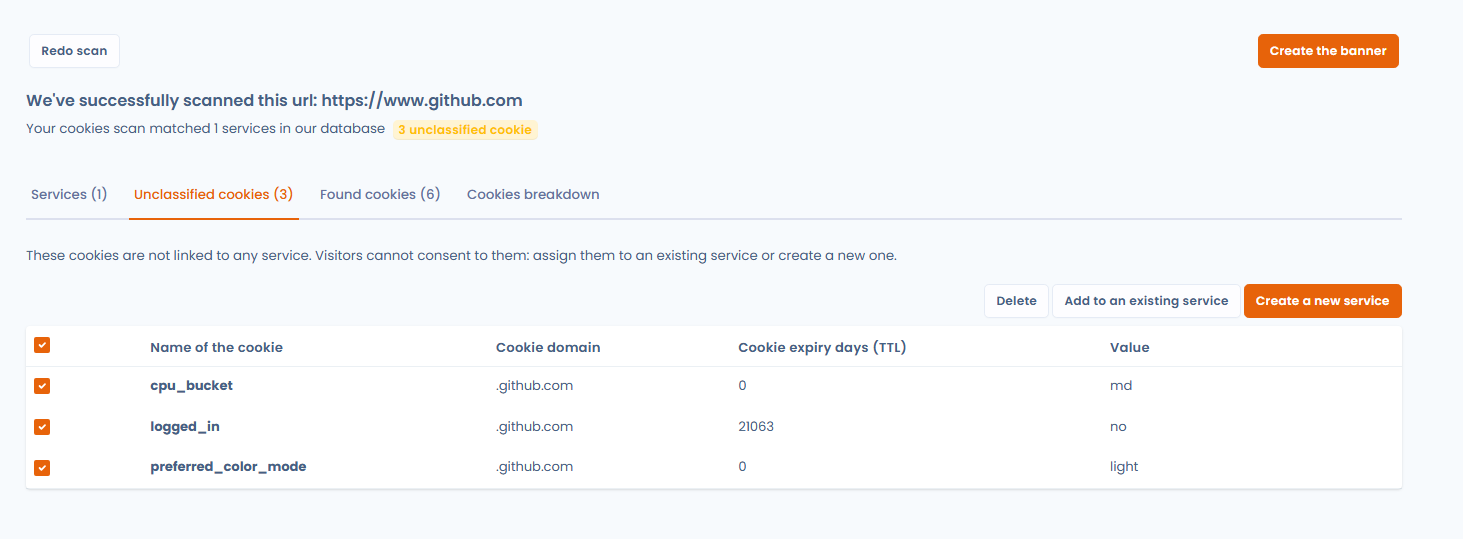
From this list, you can:
- Link several cookies to an existing service in a single action, without creating a duplicate if the cookie is already declared there.
- Create a new service from a selection, with the form prefilled from the most frequent domain among the selected cookies.
- Delete cookies you do not wish to declare, after confirmation.
- Remove a cookie from a service to send it back to the uncategorised cookies list.
Counters, the warning badge, and the distribution chart update immediately after each action, without rerunning the scan. Most importantly, nothing is lost: anything not handled when the banner is created remains attached to it and can be addressed later from the editor. Rerunning a scan on an existing banner compares detected cookies against the repository and then against your current configuration, and marks services already present with a green check.
Uncategorised cookies are never shown in the public banner: your visitors continue to see only services grouped by purpose.
Security: passkey sign-in
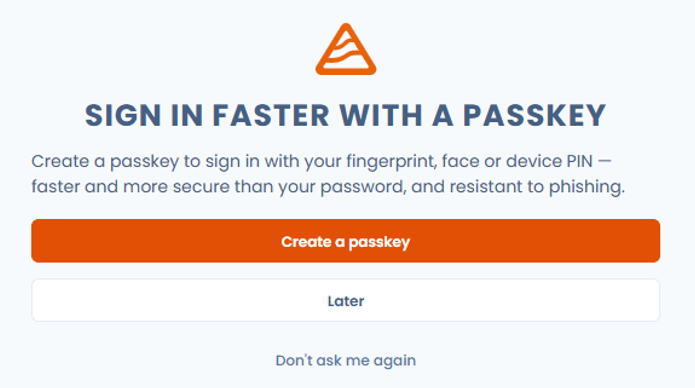
Dastra now offers the ability to sign in using a passkey, with no password or verification code to enter.
A passkey replaces the password and six-digit code with a simple check on your device: a fingerprint, face scan, or PIN. You no longer have anything to remember or copy, and sign-in takes only a few seconds.
Above all, it provides protection against phishing that passwords cannot offer. A password and a verification code can be entered on any page imitating Dastra, then immediately replayed elsewhere. A passkey, by contrast, works only on the real Dastra site: it stays on your device, never circulates, and therefore cannot be copied, intercepted, or reused.
In practical terms:
- You create a passkey from the dedicated section of the Account Security page, or directly after signing in when Dastra offers it.
- You then sign in without entering a password or code.
- You can name your passkeys to distinguish them from one device to another, and delete them at any time.
- The interaction with the existing two-factor authentication remains consistent: the passkey counts as strong proof and does not add a superfluous step.
Browsers that do not support passkeys continue to offer the usual sign-in flow. Organisations that have deployed single sign-on already have their own solution and are not concerned by this mechanism.
Read the passkey documentation
Advanced configuration: send your security logs to your SIEM

Dastra logs activity in your account: sign-ins, permission changes, API keys, SSO configurations, user or workspace deletions. Previously, these traces stayed in Dastra, whereas an organisation’s security monitoring is carried out in its SIEM, where logs from all applications are centralised. Correlating a permission change in Dastra with an incident detected elsewhere was therefore not possible.
The SIEM integration opens up two complementary routes.
The real-time forwarding, configured once for the whole account and reserved to its owner, sends each logged event to your collector address. Four formats are supported to cover the main tools on the market: Splunk HEC (JSON), CEF (Common Event Format), Syslog (RFC 5424), and Dynatrace (Log Monitoring v2). Authentication adapts to your collector (Bearer token, API key, custom authorisation scheme, custom header, or none), custom headers can be added, and a severity filter lets you forward only what matters. The connection is tested before saving, and no configuration is stored without a valid connection.
The manual export completes the setup: from the “Security logs” page, an “Export (SIEM)” menu produces a file in CEF, Syslog RFC 5424, or Splunk HEC format, applying the selected period and event types shown on screen. Useful for one-off backfills or for handing traces to an auditor. Spreadsheet export remains available alongside it, unchanged.
The authentication token is never shown again after saving, and empty information is omitted from the message rather than sent blank.
What is a SIEM?
A SIEM (Security Information and Event Management, for example Splunk, Microsoft Sentinel, QRadar) centralises your organisation’s security event logs for detection, investigation, and compliance.
✨ Improvements
Processing register: AI assessment of the 9 DPIA criteria
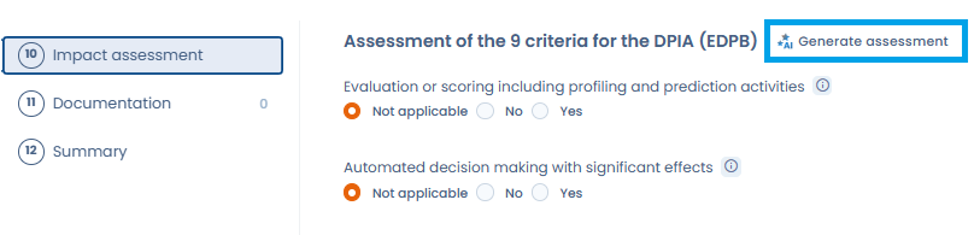
You can now ask the AI assistant to fill in the 9 assessment criteria from the EDPB list based on the information already entered. You immediately know whether a DPIA is required, while retaining control over each proposed answer.
Filter on multiple custom fields:
Many of you requested it: it is now possible to create filters on list-type custom fields (checkboxes or multi-select fields).
[Important change] Mandatory approval by questionnaire owners:
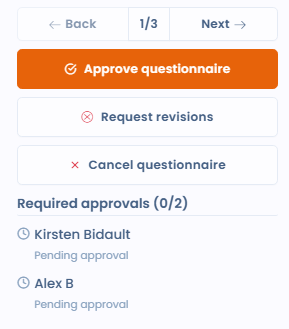
The audit questionnaire validation process has been redesigned to separate individual approval from final publication. Each validator (required or optional) can now approve the questionnaire independently via a dedicated button, with the option to leave a review comment and revoke their approval. Final publication (validation) is allowed only when all required validators have approved. Visual tracking of approval progress is displayed in the validation view, summary, response list, and validator manager. Pending owners are notified by email for each new approval.
To learn more, read the questionnaire validation documentation
[Important change] Separation of write permission from create permission
From now on, the permission to create new items (manually, with AI, or otherwise) has been fully separated from write permission across several modules. Rest assured, this will have no impact on your current role setup, which will automatically include write permission. The purpose of this feature is to allow a combination of the right to edit one’s own items and the right to create.