



🚀 New Features
Data Subject Requests: Data Redaction tool
Handling a data subject right request often means sharing documents — identity copies, contracts, account histories, client files. These attachments almost always contain confidential information that should not be passed to the requestor or any third party (data relating to other individuals, confidential contractual details, internal records). Until now, redacting those documents meant exporting them to an external tool, stepping outside of Dastra, and hoping nothing had been missed before sending the file back.
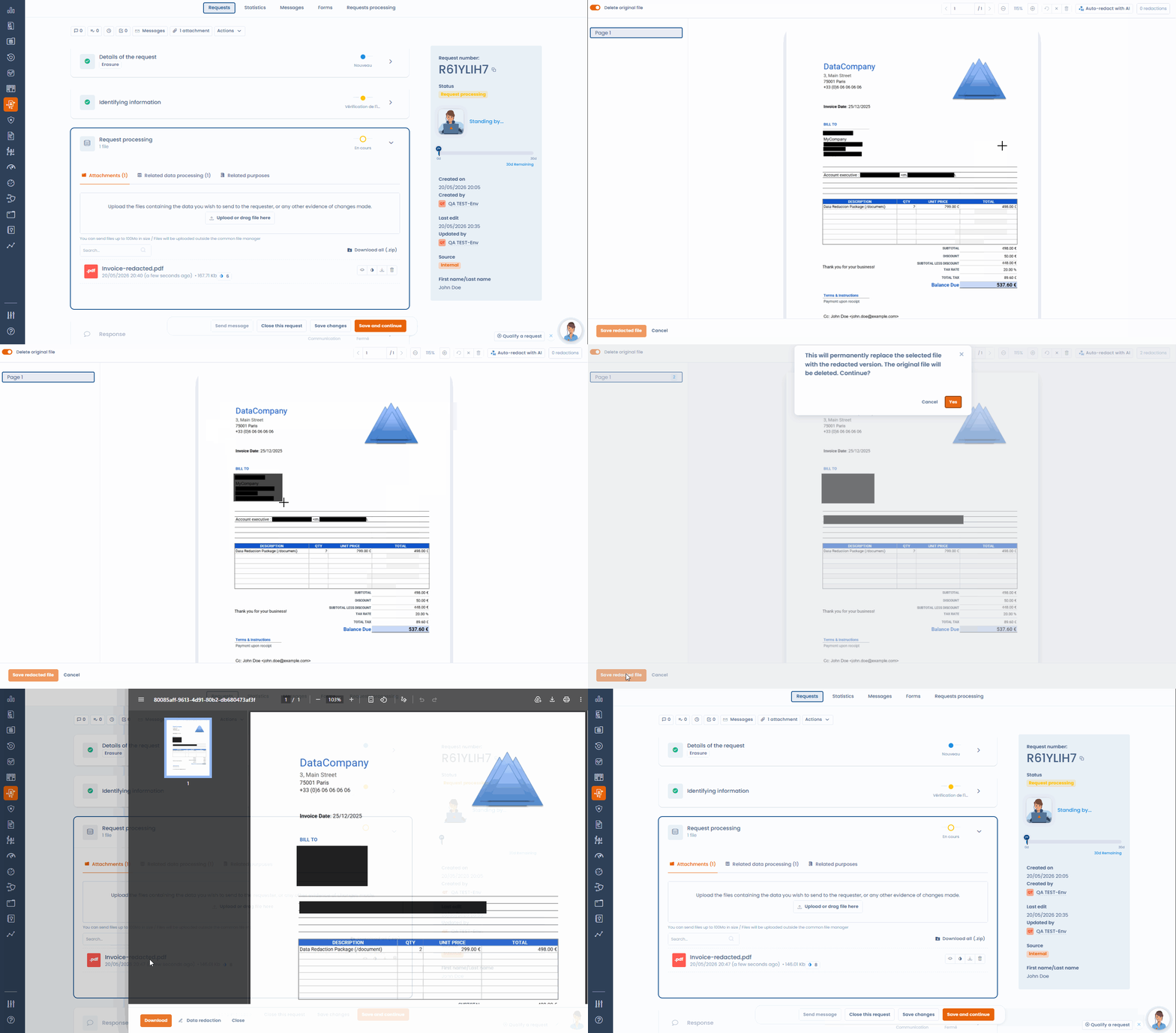
Dastra now includes redaction directly inside the request. When an attachment needs to be shared, AI analyses the document, detects zones containing third-party personal identifiers (names, addresses, contact details, personal ID numbers) and places them automatically on the document. Your team reviews the result, removes any false positives with a click, and can manually add any zones the AI may have missed.
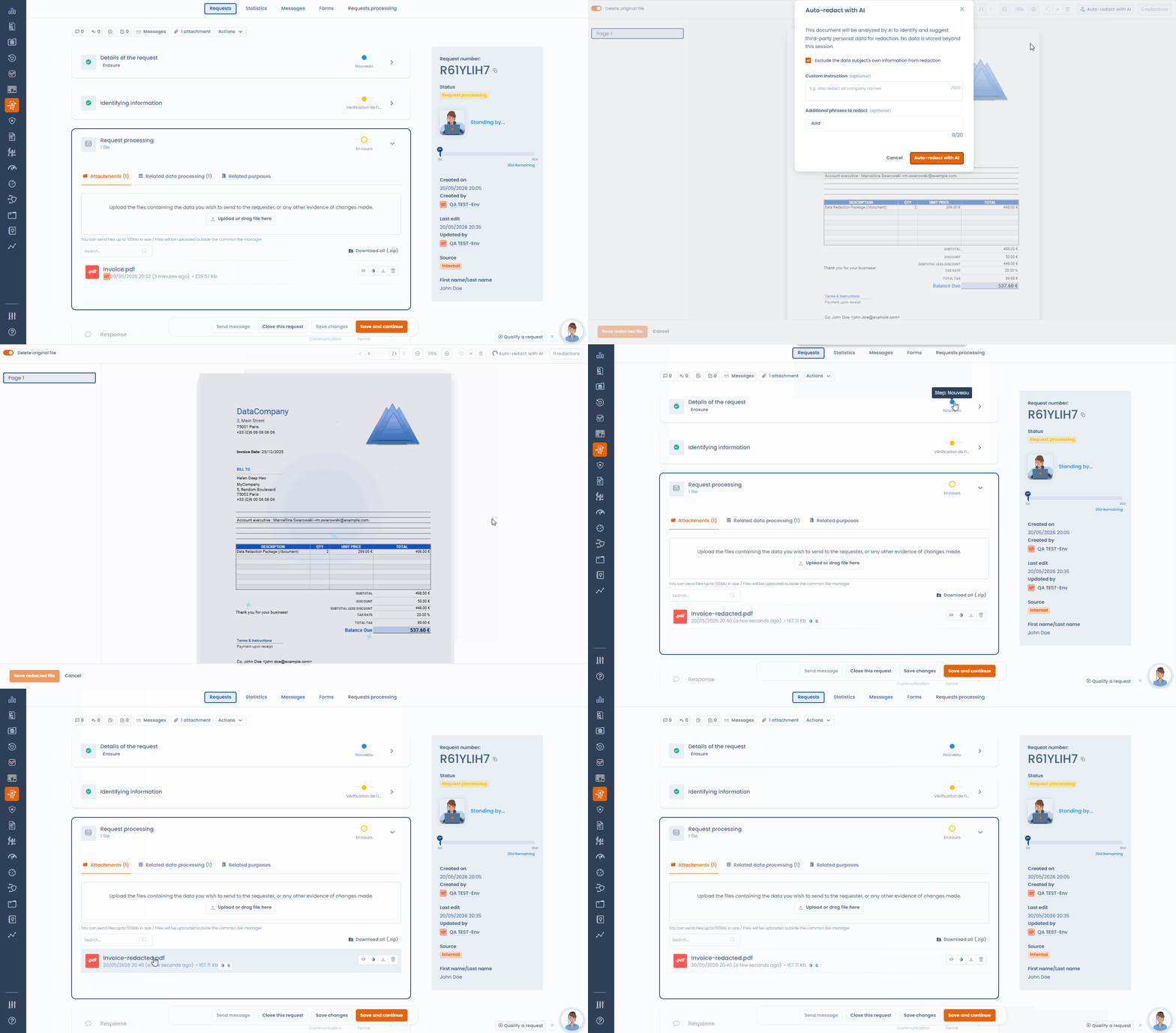
Once reviewed, the redacted document is generated and saved to the request. The redaction is permanent: the output file is rasterised, meaning the underlying text is not simply "hidden visually" but made definitively inaccessible. The original can be kept or deleted based on the team's preference. Everything happens without leaving the Dastra workflow, without generating unnecessary file copies, and without the risk of an under-processed document leaving your environment.
For organisations that prefer to keep full manual control without using AI assistance, manual redaction is available in the same interface.
Compliance: Merge controls and tests
The Compliance module now includes a merge tool to eliminate duplicates within a project or library. When similar controls or tests coexist — for instance after successive framework imports — they can now be consolidated into a single record without data loss.
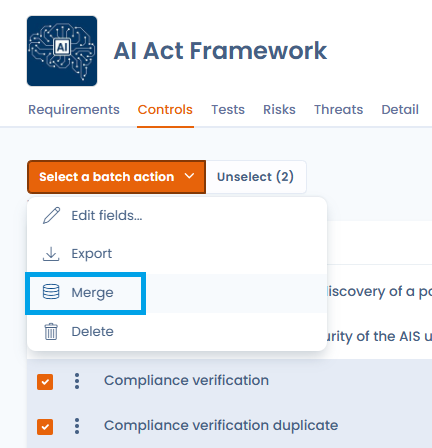
The merge tool allows you to:
- Select multiple items from the list (up to 30) and trigger the merge via bulk actions
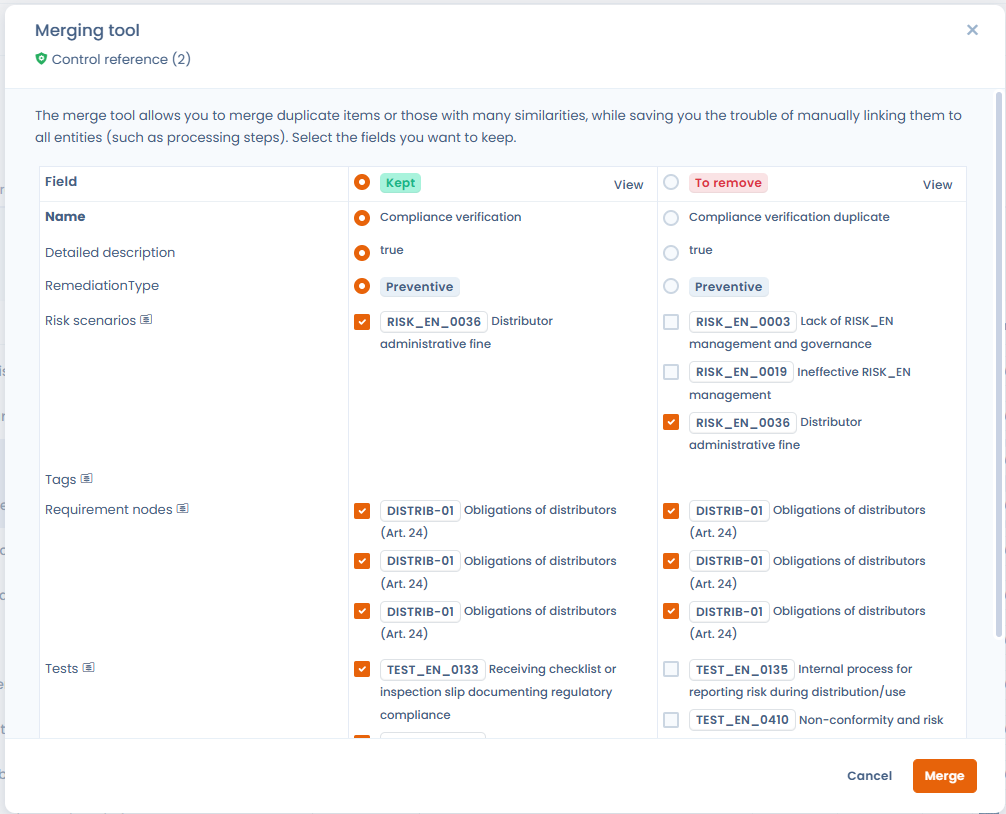
- Compare items side by side in a comparison table and choose, field by field, which values to keep
- Automatically consolidate all associations (evidence, requirements, risk scenarios, covered controls) onto the retained record
Merging is available for operational tests, reference tests, applied controls, and reference controls. The process is entirely manual — no automatic duplicate detection is performed.
Data breach notifications: Managing incidents as a Data Processor
The Data breach notifications module now adapts to your organization's role in the incident: Data Controller (DC) or Data Processor (DP).
When creating an incident, a selector allows you to specify the role.
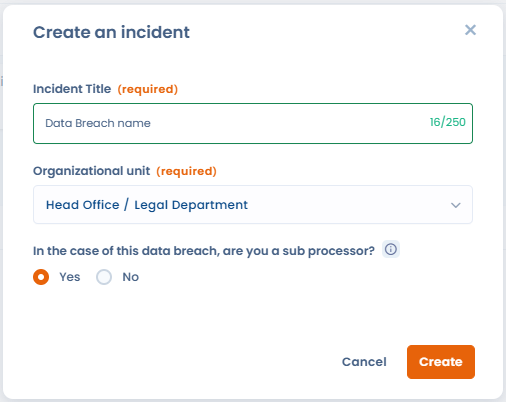
For Data Processor incidents:
- The supervisory authority notification step is hidden (Data Processors are not required to notify the authority directly)
- A dedicated section for communication to data controller clients replaces the standard communication section
- You can associate, track, and export the list of data controller clients involved in the incident, and automatically sync this list from the data processing activities linked to the incident
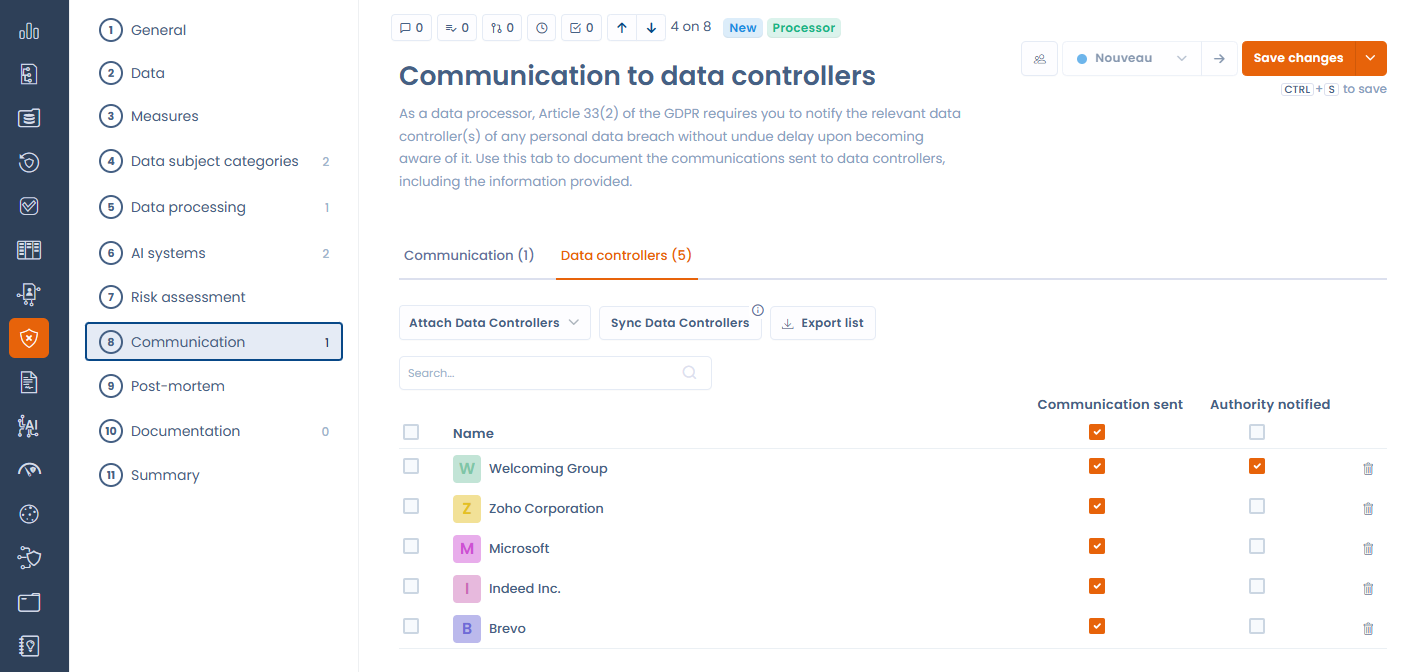
This update supports the specific obligations of GDPR Article 33.2, which requires Data Processors to notify their Data Controllers without undue delay in the event of a breach, without imposing the direct authority notification obligation that rests with the Data Controller.
Privacy hubs: AI Systems in the Trust Center
The Trust Center (public Privacy Hub) now supports AI Systems. Organizations can activate a new dedicated tab in their trust portal, allowing stakeholders (clients, partners, authorities…) to view the list of artificial intelligence systems in use.
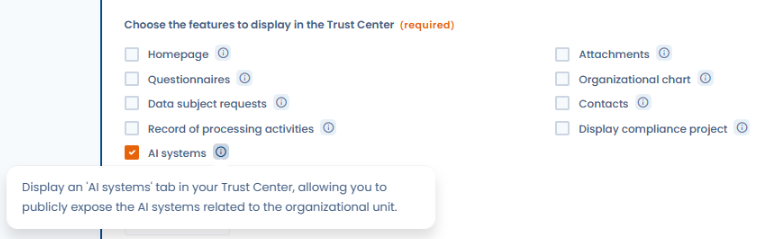
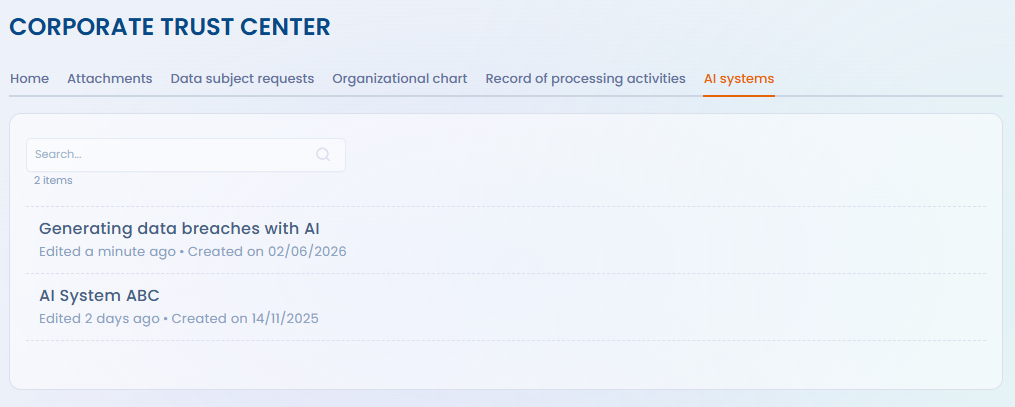
This feature responds to the transparency requirements of the European AI Act and integrates uniformly alongside the existing Trust Center modules (record of processing activities, audits, data subject right requests…). The tab is only available for organizations whose plan includes the AI Systems module.
AI Assistant: AI credits and quota system
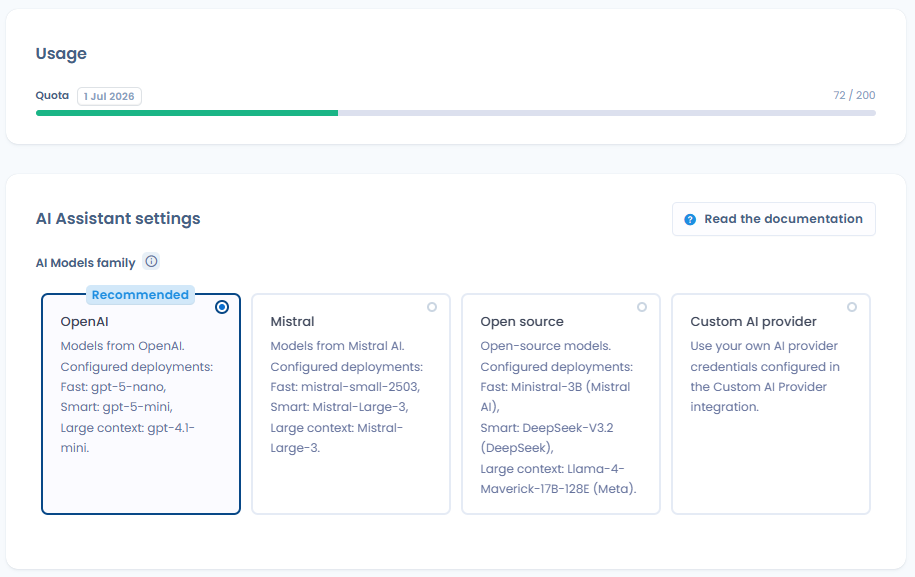
The use of Dastra's AI features is now governed by a credit system. Each type of AI operation (processing generation, compliance analysis, evidence verification, post-mortem report, questionnaire responses, etc.) consumes a defined number of credits. A monthly quota is allocated based on the subscribed plan.
Users can now:
- View their current month's AI credit consumption from the workspace settings
- See a color-coded progress bar (green, orange, red) indicating usage level
- Receive a clear message when the quota is reached, with a link to upgrade options
This system ensures transparency and cost control around AI usage on the platform.
✨ Improvements
Data subject right requests: Inherited datasets from parent organizational units
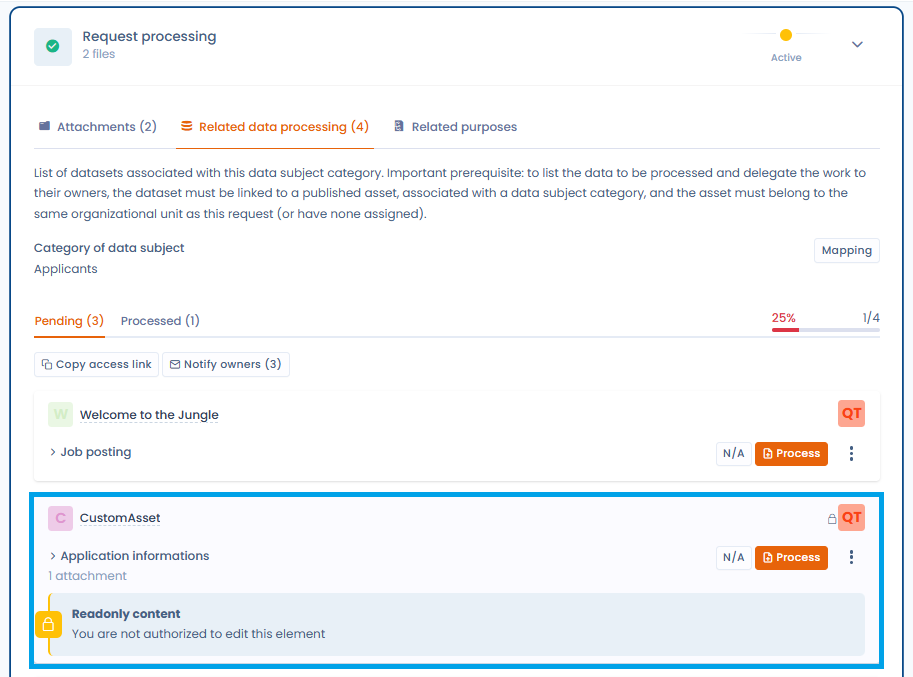
The Datasets tab of a data subject right request now displays all relevant datasets using a cumulative model: those linked to the assigned organizational unit (OU), all its parent OUs (up to the root of the hierarchy), and all its descendant OUs.
If the request operator does not have access rights to the relevant datasets, a visual indication will prompt them to contact the relevant responsible persons.
This improvement facilitates the processing of the request in a comprehensive manner: a request cannot be declared 100% processed if legacy datasets have not yet been processed or explicitly marked "Not applicable".
Data subject right requests: Closure reason from the registry
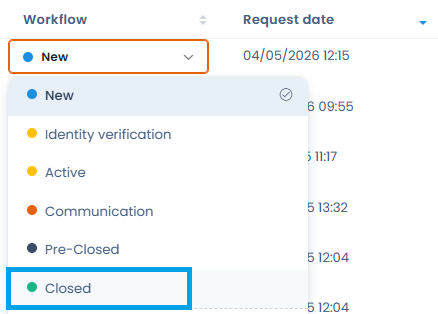
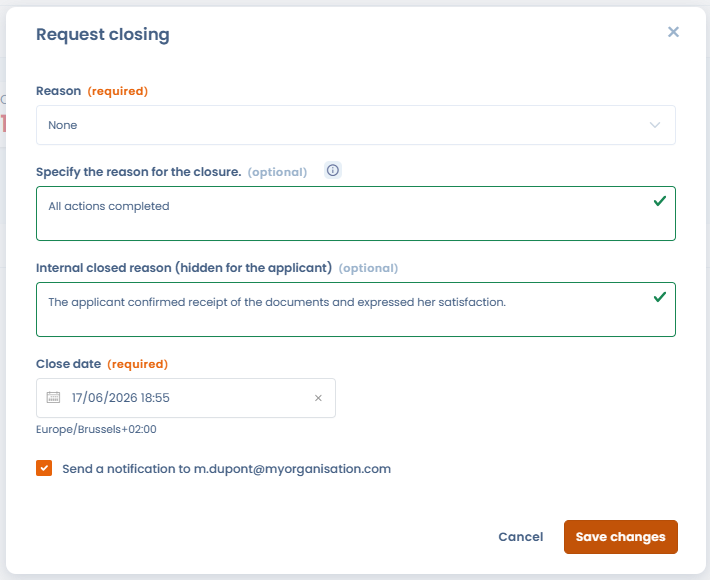
It is now possible to enter the closure reason for a request directly from the registry, when selecting a final workflow step. A form opens automatically, allowing you to fill in the reason, a public description, an internal description, and the closure date — identically to the closure from the request detail view.
This improvement ensures that a reason for closure is properly recorded when requests are closed from the register, in order to preserve the quality of data and follow-up reports.
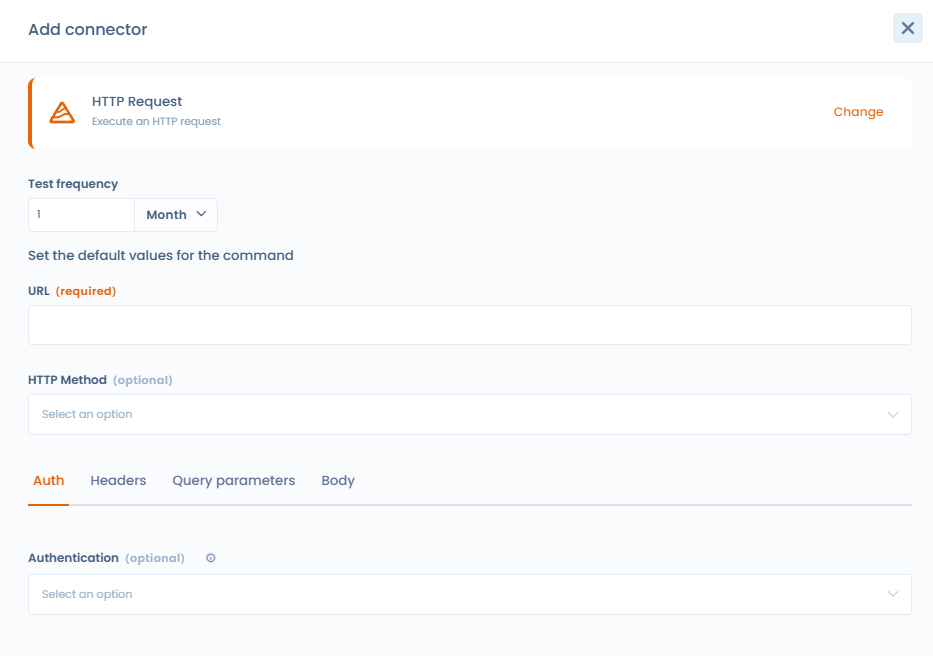
Compliance: Redesigned HTTP connector UX
The configuration interface for the HTTP Request connector in the Compliance module has been completely redesigned to simplify setup and strengthen credential security:
- An authentication method selector (API Key, Authorization Token Bearer, Basic Authentication) replaces manual JSON header entry
- Credential fields (token, password) are masked by default, with an eye icon to temporarily reveal them — they never appear in plain text in logs
- Key-value pair editors (Postman-style) make it easy to configure custom headers and query parameters without knowing JSON syntax
- A read-only preview shows the headers that will actually be sent, with sensitive values masked
Compliance: Evidence links visible from linked objects
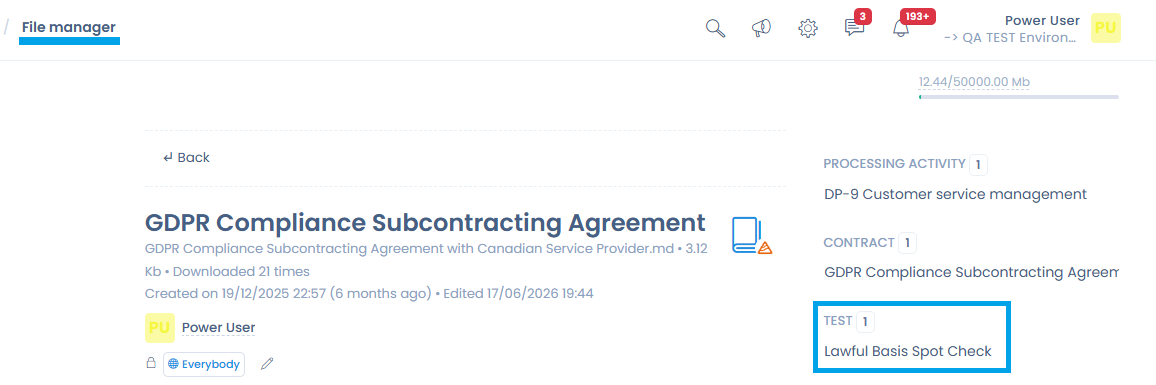
When a document or contract is used as evidence for a compliance test, this link is now visible from the object itself:
- In the Contracts module, an icon shows the number of linked compliance tests. Clicking it opens the test list, and clicking on a test opens its details without leaving the contracts page.

- In the Document management (file manager) module, compliance tests linked to the selected document are displayed in a dedicated side panel.
Custom Filters: Adding condition groups
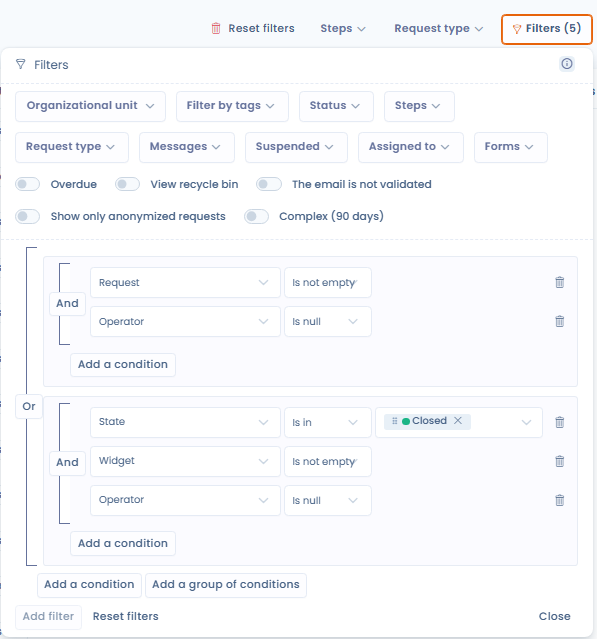
The custom filters across all Dastra modules now feature a structured condition editor, identical to the one already available in the workflow rules module.
You can now:
- Combine conditions with an And / Or operator at the group level
- Nest sub-groups of conditions for complex rules (e.g., (Step = "In progress" AND Address is filled) OR (Collection channel = "Incoming email"))
- Add, reorganize, and delete each condition or group individually
Existing filters and custom views using the previous flat structure remain functional through automatic conversion.
Print AI analysis
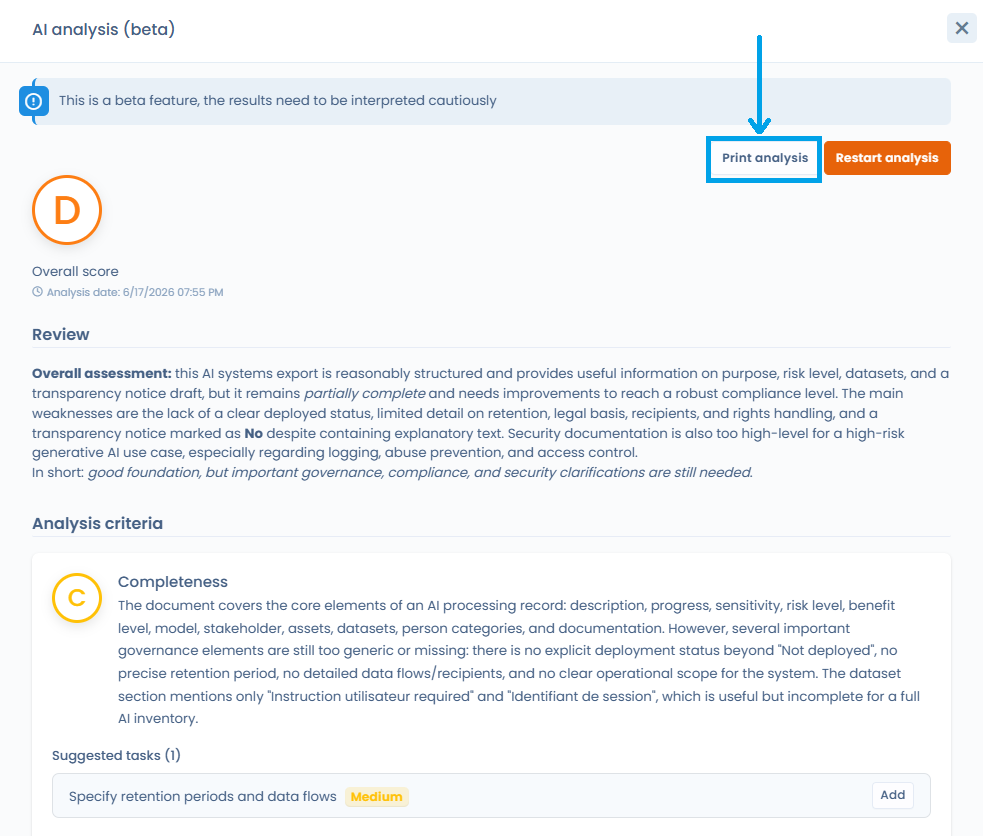
It is now possible to print the AI analysis performed on: • A questionnaire response & PIA • A data processing record • An AI system record
This structured document includes the overall rating (A to F), the general assessment, the evaluated criteria with their individual ratings and justifications, as well as suggested tasks ranked by priority.
A “Print Analysis” button appears in the analysis panel header as soon as a result is available. This allows you to easily attach the results to a report, a compliance file, or internal communication, without using screenshots.
Data breaches: Link to AI Systems
It is now possible to associate one or more AI Systems with a data breach — addressing the convergence of GDPR and AI Act obligations.
- A new "AI Systems" section is added to the breach form, between the "Data Processing Activities" and "Risk Analysis" sections
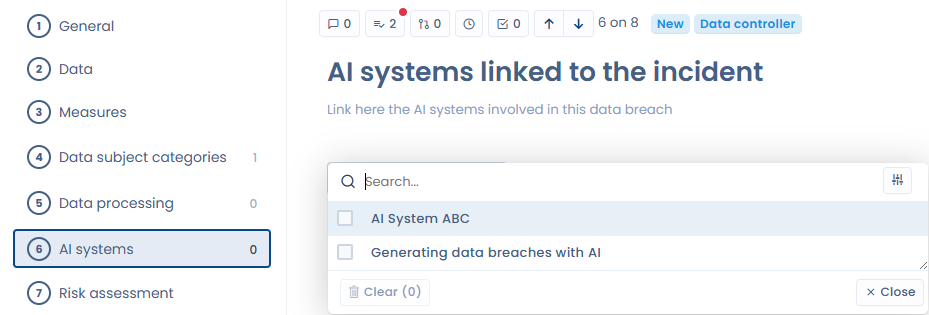
- A "Linked AI Systems" column is available in the breach registry, with a dedicated filter
- The AI-generated post-mortem report takes linked AI systems into account
- The data breach dashboard now shows an indicator of the number of incidents involving at least one AI system

Data Mapping: Export and import datasets with their data fields
The export and import of datasets now include their associated data fields. The exported file lists, for each dataset, all linked data fields (label, sensitivity classification, personal data category), and can be re-imported directly to restore associations without an extra step.
When importing in overwrite mode, data field associations are updated to match the file content. Fields absent from the file are unlinked; fields that don't yet exist in the workspace are automatically created.
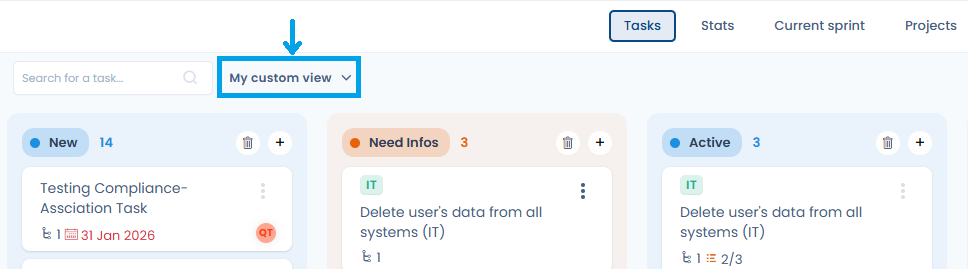
Planning: Custom views in the Tasks module
Pinned custom views in the toolbar are now available in the Planning (tasks) module, in line with all other Dastra modules. You can save the current filter state as a named view, share it with other workspace users, and switch between views with a single click.
Other improvements
- Audits and DPIA: The questionnaire response status previously labeled "Published" has been renamed "Validated". This term more accurately reflects the action performed: validating responses.
- Compliance: Tooltip on AI evidence analysis — A tooltip now explains the method used during automatic AI evidence analysis (OCR, label, test procedure…), with a link to the documentation.