



This new version of Dastra brings many improvements to simplify the management of your DSR forms, automate your workflows, enrich your AI use cases, and improve day-to-day efficiency.
🚀 New features
Data subject rights: Conditional logic on forms
DSR request forms now support conditional logic (skip logic). As the controller, you can define display rules directly on the fields of the DSR widget template: a field appears only if the answer to a previous question meets a defined condition.
These rules are interpreted dynamically on the respondent side: the form adjusts in real time as answers are entered.
In practical terms, this allows you to:
- Show or hide fields depending on the type of right exercised, the nature of the request, or any previous answer
- Manage multiple scenarios within a single widget, without creating and maintaining a separate form for each variant
- Reduce maintenance overhead when content, translations, or compliance requirements evolve
Before this enhancement, the absence of a conditional mechanism meant having to create one DSR widget per scenario, duplicate the configuration each time business rules changed, and multiply maintenance points.
Data subject rights: Synchronization of DSR forms
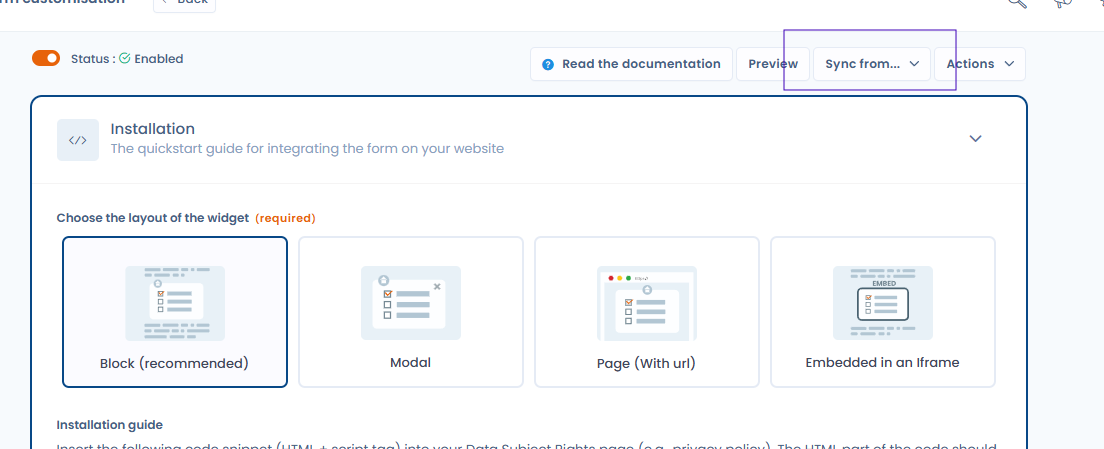
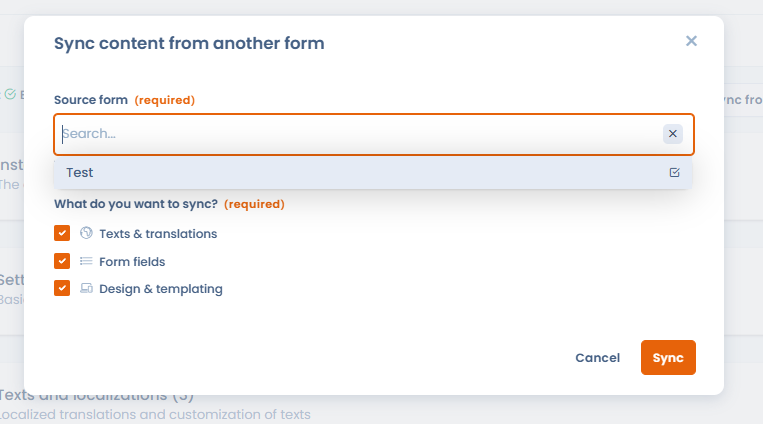
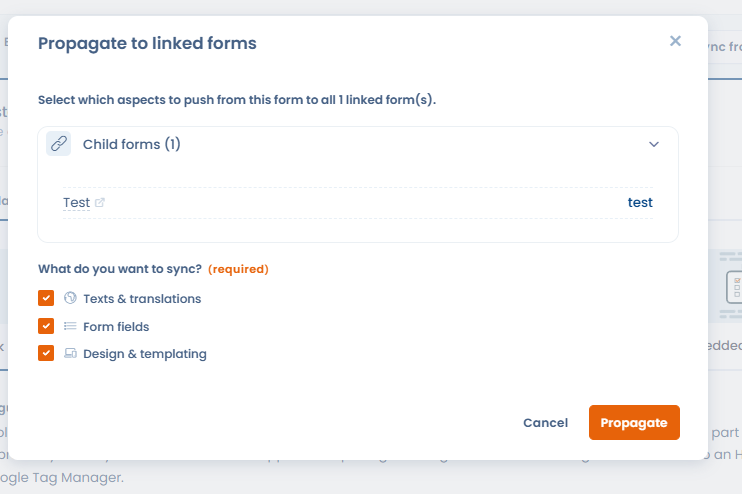
When several DSR forms share a similar configuration (same fields, same text), it is now possible to synchronize them. Designate one form as the source, link child forms to it, then propagate any change with a single click to all linked forms.
This feature eliminates configuration duplication and ensures form consistency as they evolve. A significant time saver for organizations managing several variants of the same form.
Pinned custom views in the toolbar
It is now possible to save the current state of your filters as a named view, then switch between your views with a single click from the toolbar of each section listing objects (data subject requests, processing records, repositories, AI systems, data breaches, contracts, etc.). Note that custom views also take into account your custom column selection for display.
This lets you:
- Create, name, and manage multiple custom views per section
- Load a view with one click without going through the “Filters” panel
- Change work context instantly, without manually reapplying your filters at every session
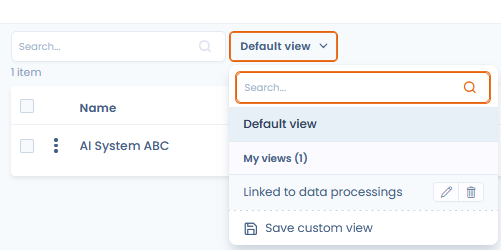
It is also possible to share custom views with other users in the workspace:
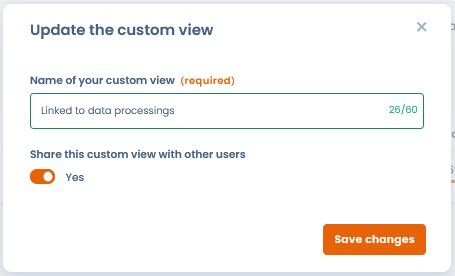
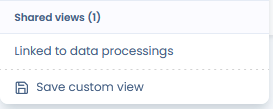
These will be visible under the “Shared views” section:
Workflow rules template library
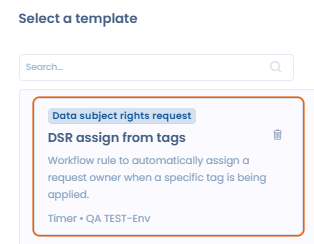
Dastra now offers a workflow rules template library. Save your existing workflows as templates, find them in the library, and reuse them as much as you like (processing activities, assets, AI systems, data breaches, etc.).
This library addresses the growing need to standardize automation rules across the organization, while avoiding the need to manually reconfigure identical workflows on each object.
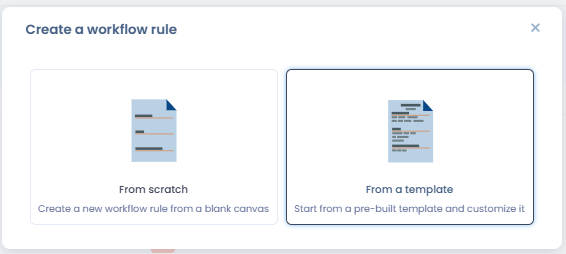
To save a template, you must save your workflow as a template:
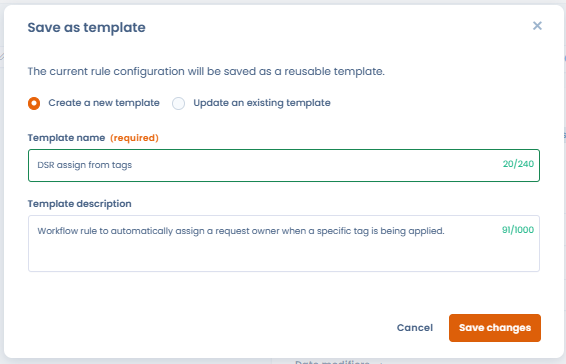 You save it, and your template will be available in the library.
Questionnaires and DPIAs: Automatic translation with AI
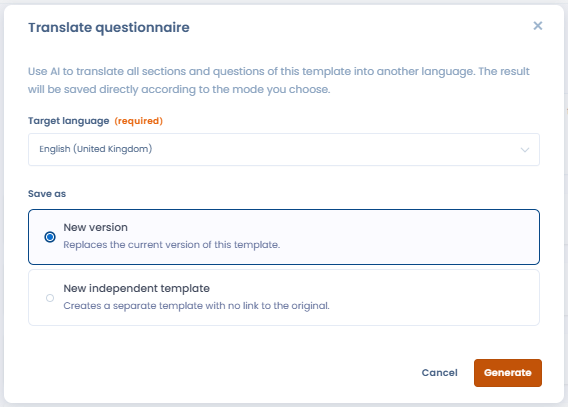
It is now possible to automatically translate a questionnaire into the language of your choice using the AI assistant. From the questionnaire editor, click “Translate questionnaire” and select the target language. Two options are available:
- Create a new template from the current questionnaire in the target language
- Create a new version of the current questionnaire directly in the target language
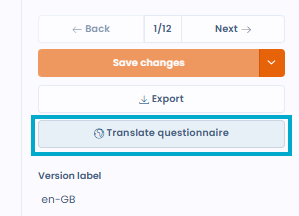
Translation covers questions, sections, answers, and supporting text. Language availability depends on the LLM model configured in your workspace.
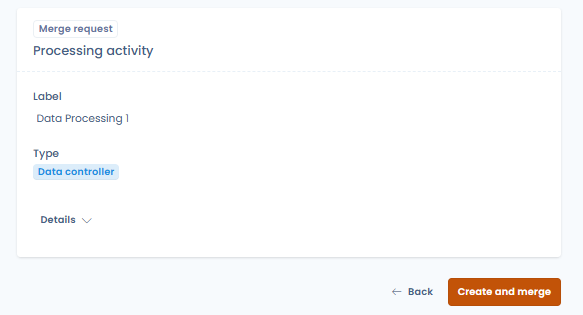
Questionnaires and DPIAs: Merging answers with the attached object
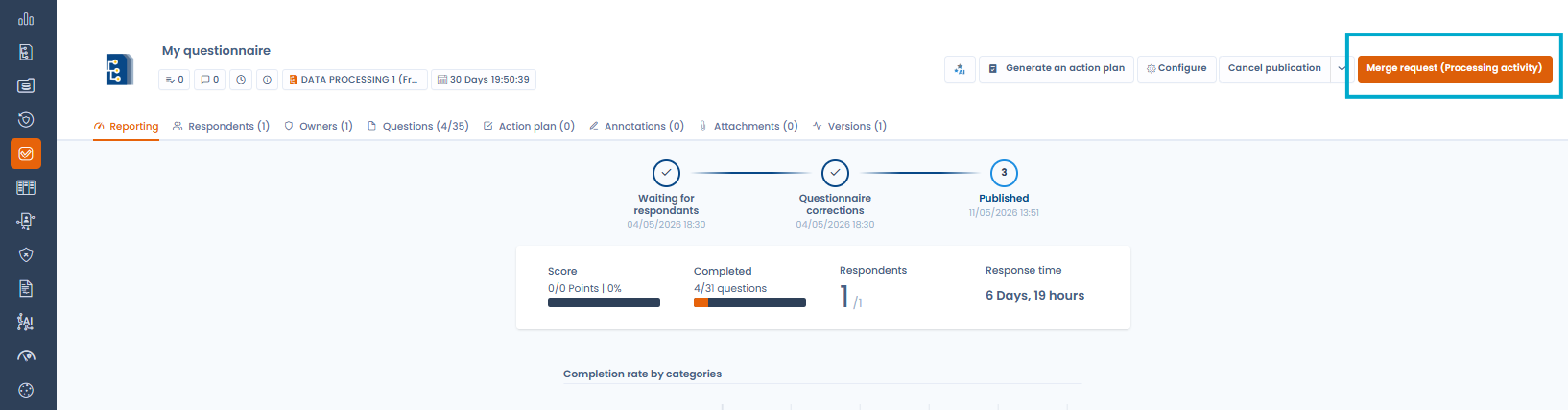
After completing a questionnaire linked to a Dastra object (processing activity, asset, actor, etc.), it is now possible to merge the collected answers with the data of that object. This action directly updates the corresponding fields of the object based on the information entered in the form, with no need for manual re-entry.
This is particularly useful in external collection scenarios via the Trust Center, where third parties (vendors, processors) provide information that must then be reflected in your internal records.
AI systems: Generating model sheets with the AI assistant
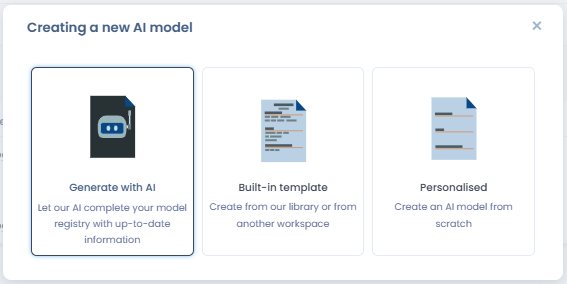
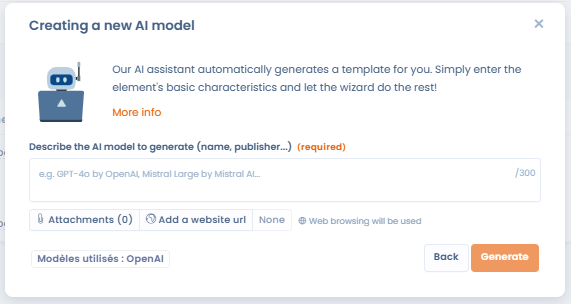
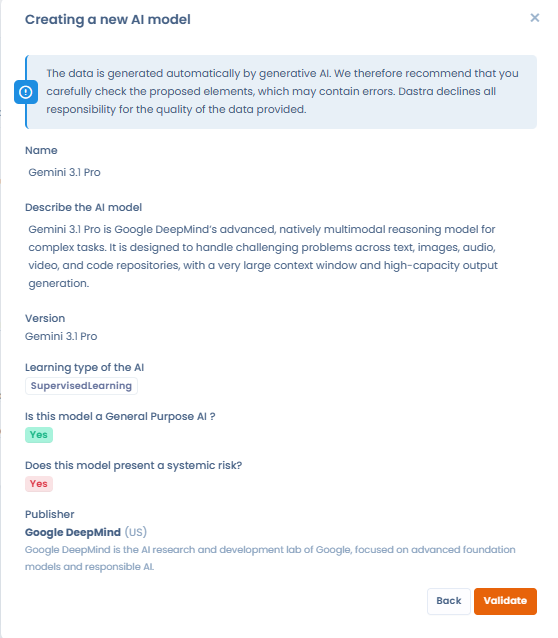
From the AI model repository, it is now possible to automatically generate AI model sheets using the AI assistant. This feature makes it possible to create model sheets for the latest AI models in just a few seconds, based on a simple description or model name.
Compliance: AI analysis of evidence
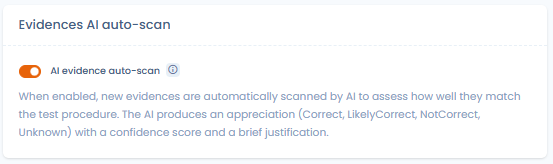
When submitting evidence for a compliance test, Dastra now offers the option to launch an AI analysis to assess whether the submitted evidence complies with the test expectation. The analysis result is displayed directly in the interface.
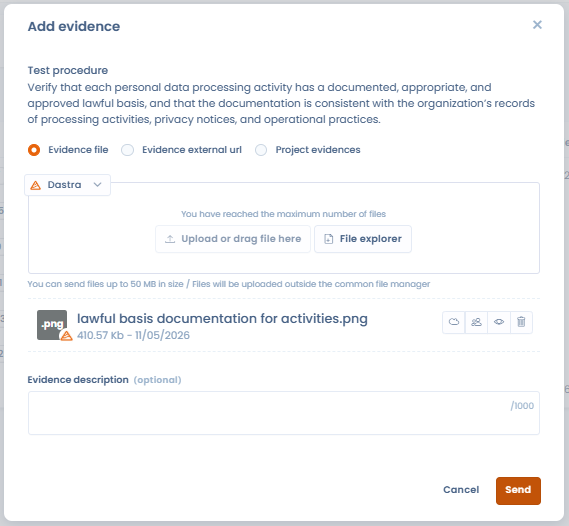
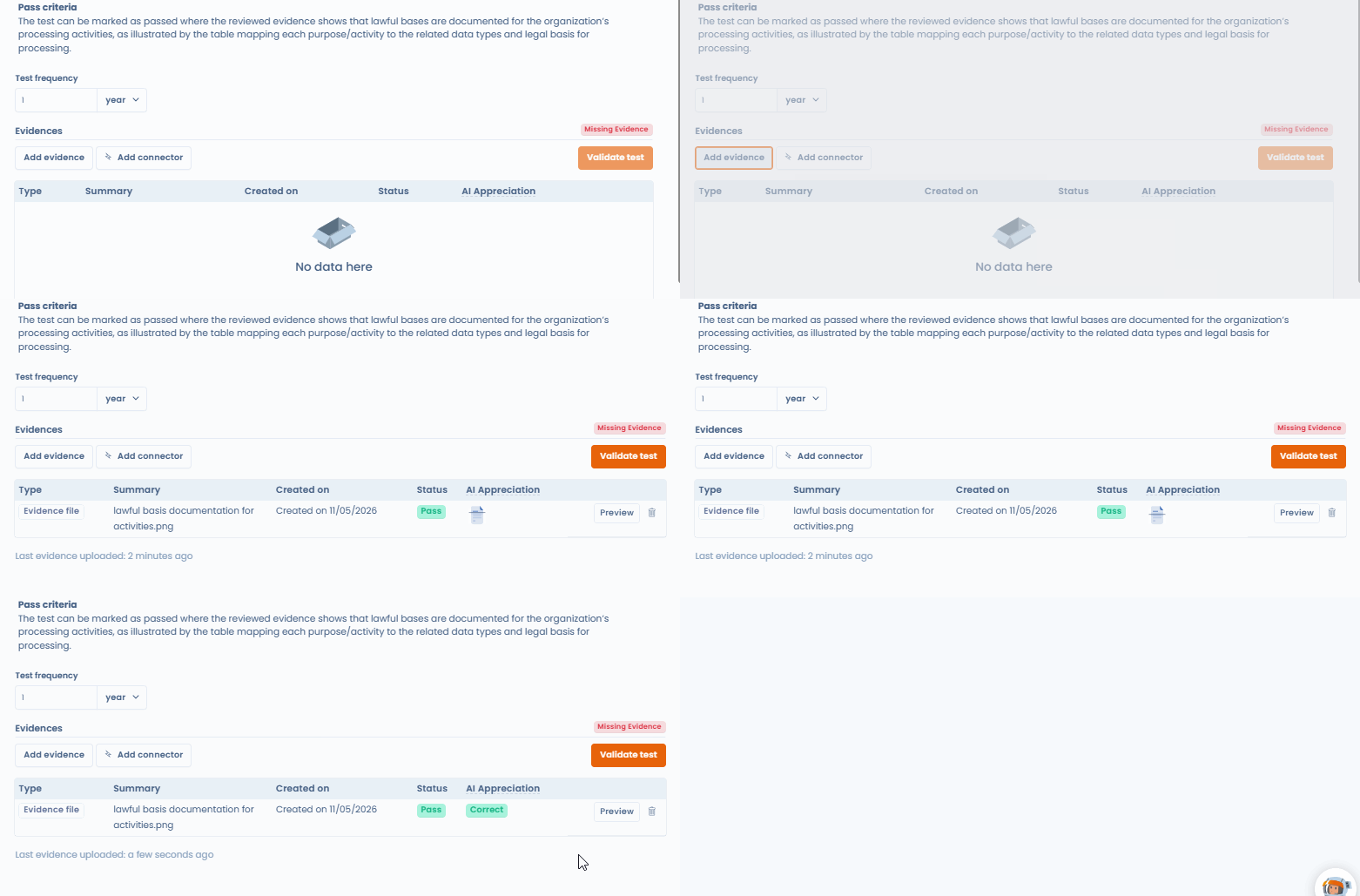
This feature is optional and can be disabled at any time in your workspace settings, under the “Compliance” section:
✨ Improvements
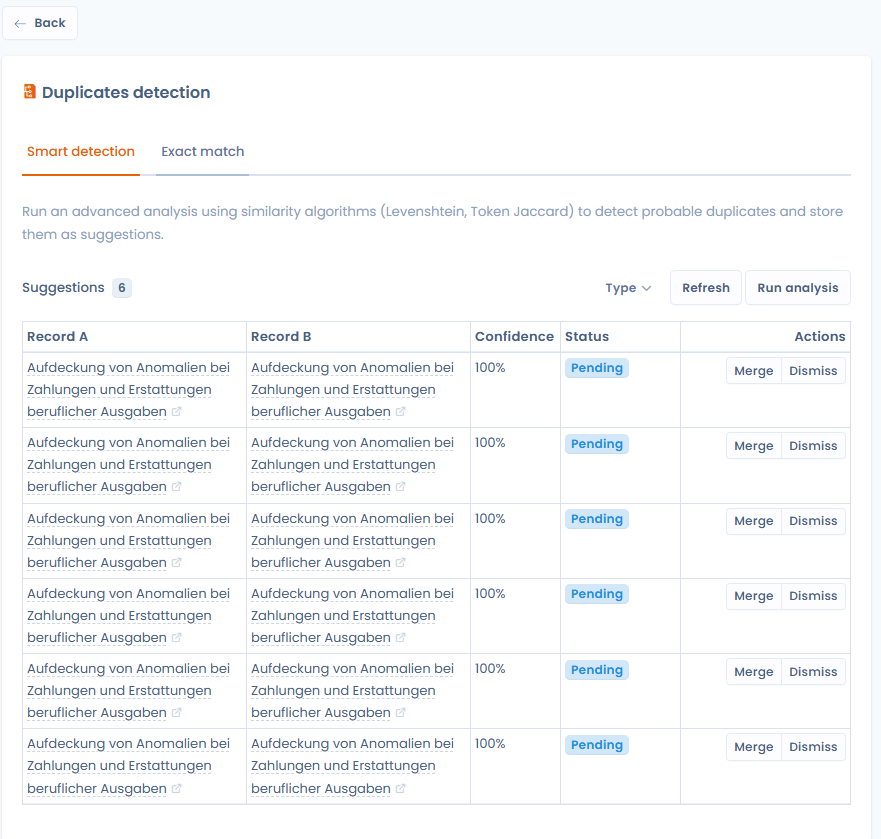
Data quality tool: Advanced duplicate detection
The duplicate detection and merging tool has been improved with an advanced matching engine. The algorithm now uses explainable scoring that analyzes several dimensions (name, publisher, organizational unit, URL, category) and assigns a confidence score to each potential duplicate — enabling informed validation before any merge.
Available for: assets, measures, actors, datasets, data glossaries, processing records, and categories of data subjects.
In each module, you can access this feature by clicking the main menu button, then “Data quality tool”.
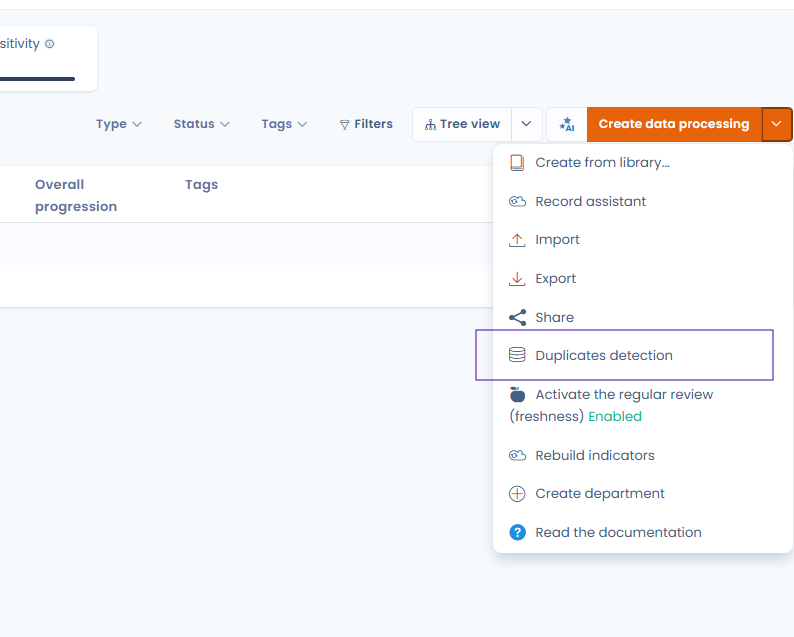
Thanks to the data quality tool, you can manage all duplicate data in your database and choose between merging or simply deleting it. All matching duplicates are assessed.
AI systems: Linking to processing activities
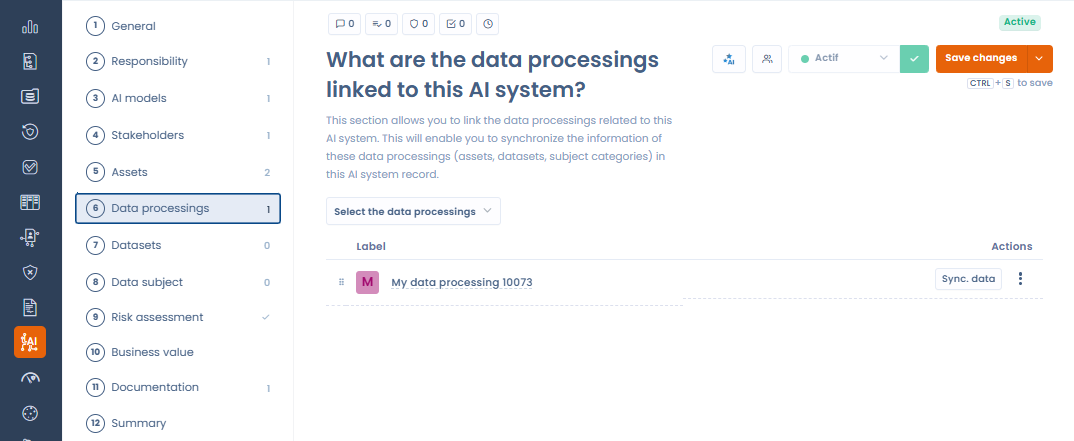
AI Systems records now include a new Processing activities section, allowing one or more processing activities to be linked directly from the record.
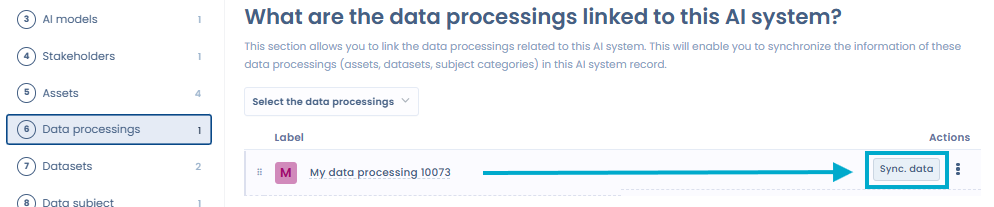
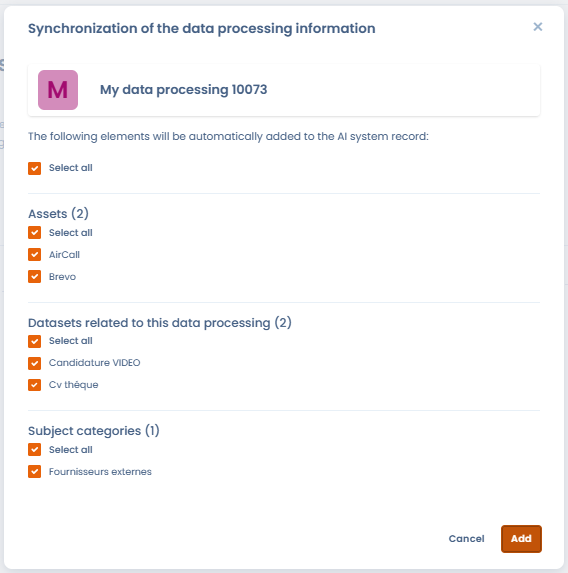
If an asset already linked to processing activities is entered in the record, those processing activities are automatically suggested. The datasets and categories of data subjects derived from the associated processing activities are also suggested in the corresponding sections of the record.
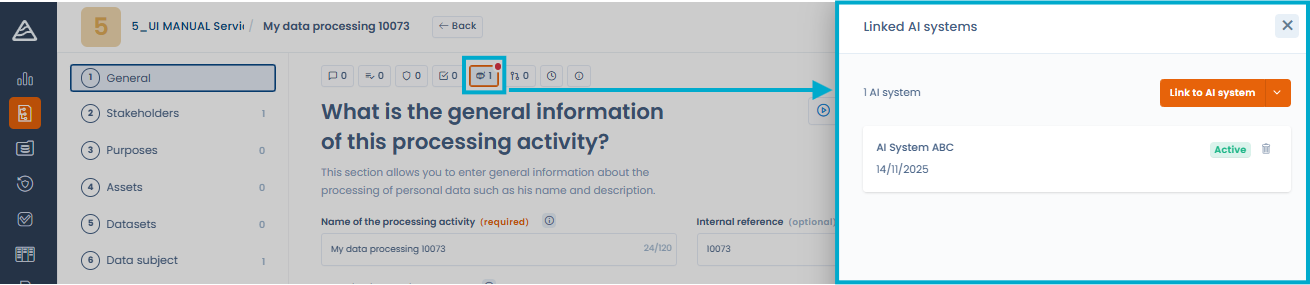
This AI System ↔ Processing link strengthens cross GDPR / AI Act compliance. In each relevant processing activity, linked AI systems are visible in the push menu displayed by clicking the “Linked AI systems” icon.
Data mapping: New actor type “AI model provider”
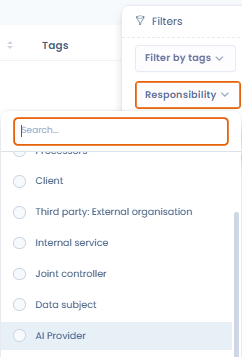
The “Referenced as” field in actors now includes the “AI model provider” type, making it possible to classify and track AI model providers in your repository.
AI systems: Creating a system from a template from the tab
It is now possible to create an AI system from a template directly from the tab within an existing AI system. Until now, this option was only accessible from the main AI systems list.
Data subject rights: Closing date display
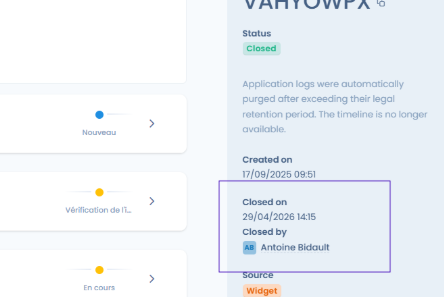
The closing date of a data subject rights request is now displayed in the side panel when viewing a request. There is no longer any need to open the full record to know when the request was closed.
Processing records: Questionnaire response details in the side panel
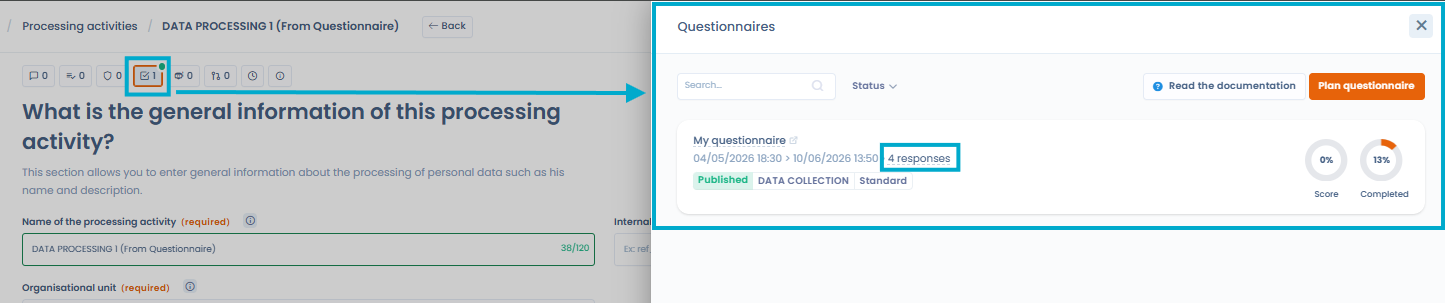
When viewing a processing activity from the side panel, answers to associated questionnaires now display their details: answers by question, status, and completion date. There is no longer any need to open each response in a dedicated view to review its content.
Data subject rights: Summary indicators at the top of the list
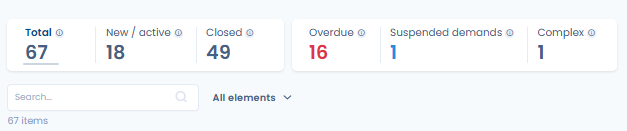
Summary metrics are now displayed at the top of the data subject rights request list (volume, deadlines, statuses). These indicators provide an overview of activity without requiring reports.
Languages: Addition of British English
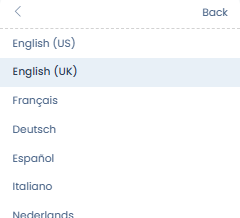
British English (English UK) is now available as an interface language, in addition to American English. You can select the language via the dropdown menu:
Data mapping: Organizational unit filter on actors
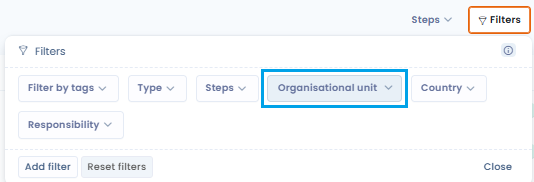
An organizational unit filter is now available in the actors list, making it possible to quickly segment the display according to your company’s organizational structure.
Custom fields: Reordering blocks
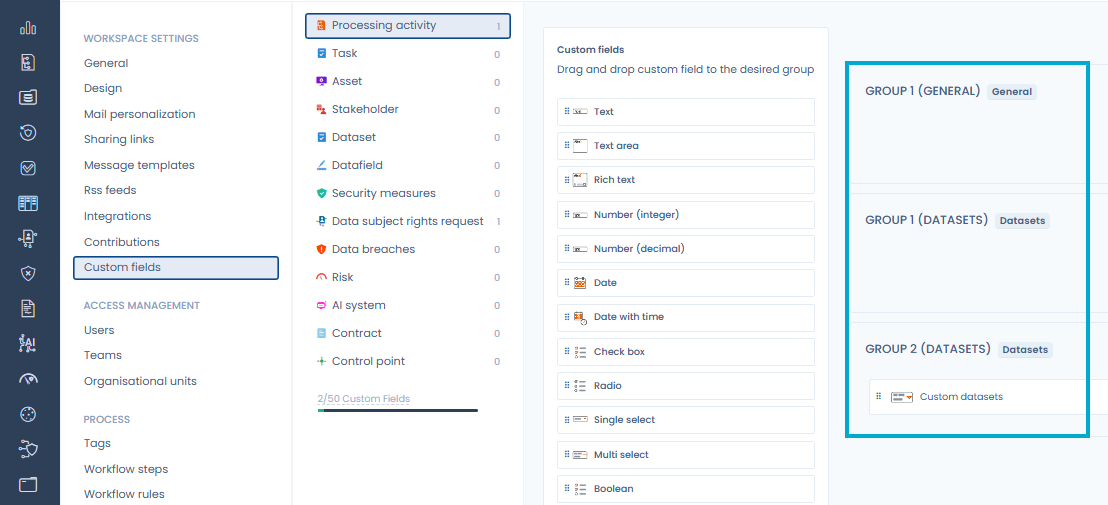
Custom field groups are now displayed in alphabetical order, making them easier to structure.
Custom reports: Using task tags
Tags associated with tasks are now available as a dimension or filter in custom reports. When creating or editing a report that includes tasks, the “Tag (Task)” table can be added to segment and analyze your action plans.
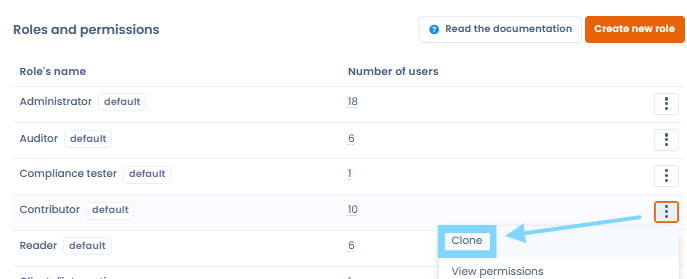
Roles and permissions: Clone a role
It is now possible to clone an existing role with a single click, so you can quickly create a new rights configuration from an existing role without starting from scratch.
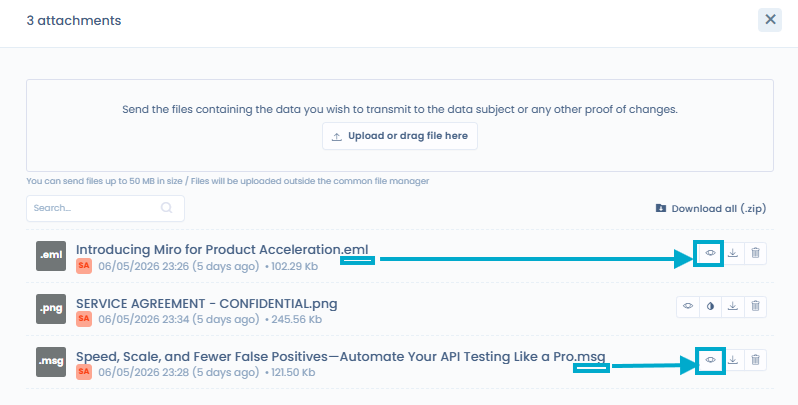
Data subject rights: Preview of .msg and .eml files
Attachments to data subject rights requests in .msg and .eml format (email export formats) can now be previewed directly in Dastra, without downloading them. Particularly useful for managing requests received by email.
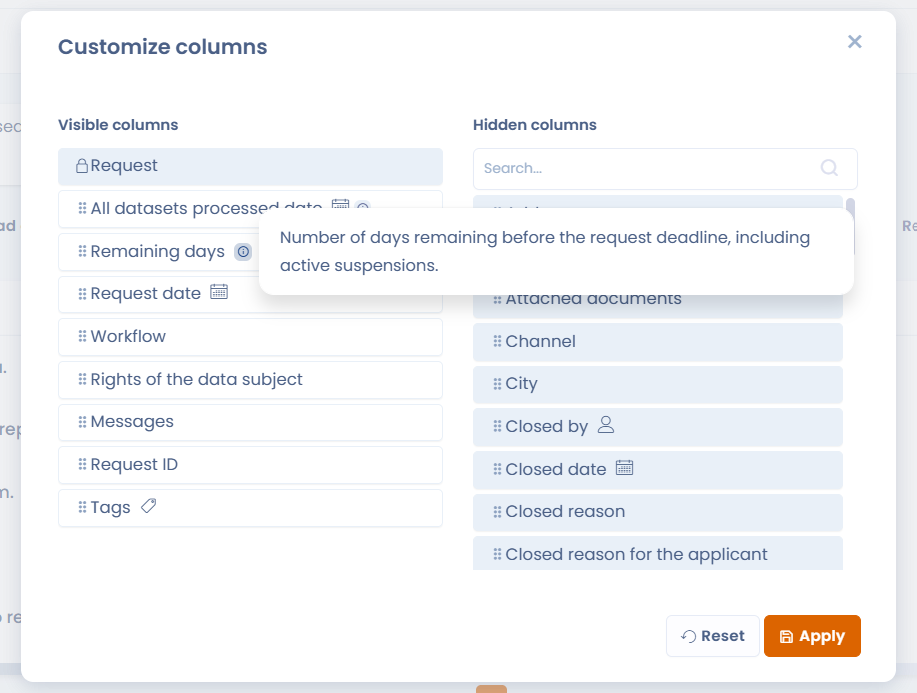
Tooltips on complex fields
Descriptive tooltips have been added to the most complex columns and selection fields in the interface, available on mouse hover.
Other improvements
- Workflows: Fixed the date display format in workflow rules to avoid any confusion when configuring recurrences. Time is now displayed in this format:
HH:MM (Timezone UTC ±HH:MM). - Workflows: Ability to apply conditions to custom fields of the multiple list or multiple checkbox type
- Processing records: Added a legend on the questionnaire charts displayed in the side panel.
- Risk types: display improvements